Scraper API
Yahoo Finance
yahoo_finance.quoteAvailable
Yahoo Finance quote
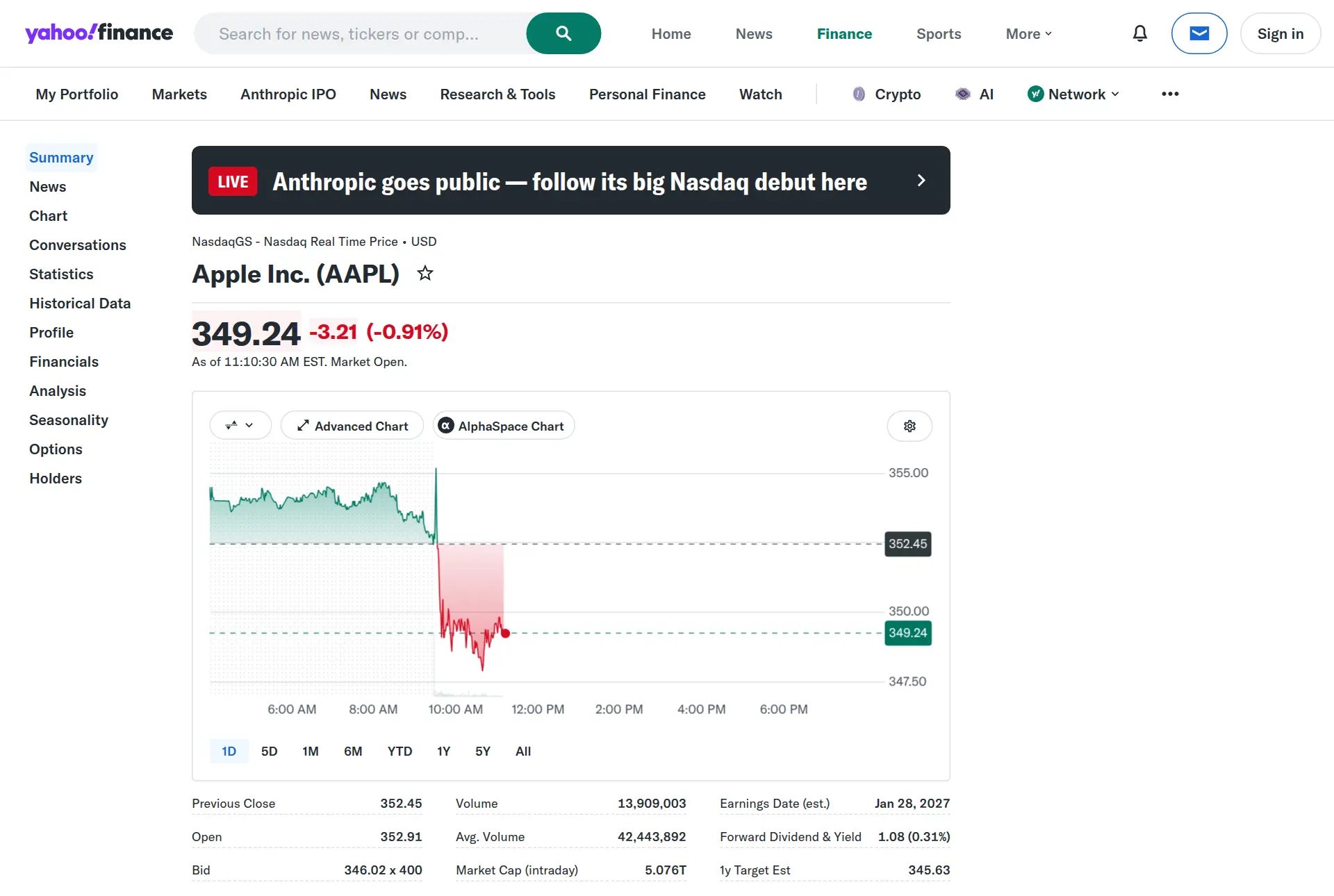
What its page states: price and change, the day's and the 52-week range, volume, market capitalisation, earnings and dividend figures, the analysts' consensus, and for a company its sector, industry and description.
Give it the symbol of a share, a fund, an index, a currency pair or a cryptocurrency on Yahoo Finance.
1 unit a run, for runs that return data. Runs that fail cost nothing. How units work
- Counted
- 1 unit a run
- Inputs
- 1, 1 required
- Record
- 52 fields
- A run takes
- up to 5 minutes
- Records kept
- 7 days
- Measured
- its success, on the status page
POST/v1/scrapers/yahoo_finance.quote/runs
sent, and answered
a record of the run52 fields
ok1 unit a run
A record this scraper returned for this input. The first 9 of its 52 fields are set down here; the whole record is below.
What it is used for
- Price a watchlist
- Last price, change, the day's range, volume, bid and ask for a share, fund, index, currency pair or cryptocurrency, with the time of the price.
- Screen on valuation
market_cap,trailing_pe,forward_pe,price_to_book,betaand the dividend yield in one record, the same for every company you read.- Add a company profile
sector,industry,employees,website, the city and country and a description of the business, from the instrument's public page.
What you send
The symbol of a share, a fund, an index, a currency pair or a cryptocurrency on Yahoo Finance. It is the one input.
symbolstring Required- The instrument's symbol on Yahoo Finance:
AAPL,7203.T(a share on another exchange),VOO(a fund),^GSPC(an index),EURUSD=X(a currency pair),BTC-USD(a cryptocurrency); or the address of its page.
A request, ready to send
It starts a run with the input shown at the top of this page, waits up to 60 seconds for it, and reads its records. Put your key in the variable it reads.
# Start a run and wait up to 60 seconds for it to finish
curl -X POST "https://api.enrichednow.com/v1/scrapers/yahoo_finance.quote/runs?wait=60" \
  -H "Authorization: Bearer $ENRICHEDNOW_API_KEY" \
  -H "Content-Type: application/json" \
  -d '{"input":{"symbol":"AAPL"}}'

# Read its records, with the id the first call answered
curl "https://api.enrichednow.com/v1/runs/$RUN_ID/records?limit=100" \
  -H "Authorization: Bearer $ENRICHEDNOW_API_KEY"
from enrichednow import EnrichedNow
client = EnrichedNow() # reads ENRICHEDNOW_API_KEY
# Start a run, wait for it to end, and get its records
result = client.scrape("yahoo_finance.quote", {"symbol": "AAPL"})
print(result.run.id, result.run.status, result.run.record_count)
# Read its records: pages are fetched as you go
for record in result.records:
print(record)Install it with pip install enrichednow, then save as run.py and run python3 run.py
import EnrichedNow from "enrichednow";

const client = new EnrichedNow(); // reads ENRICHEDNOW_API_KEY

// Start a run, wait for it to end, and get its records
const { run, records } = await client.scrape("yahoo_finance.quote", { symbol: "AAPL" });
console.log(run.id, run.status, run.record_count);

// Read its records: pages are fetched as you go
for await (const record of records) console.log(record);
Install it with npm install enrichednow, then save as run.mjs and run node run.mjs
package main

import (
	"context"
	"fmt"
	"log"
	"time"

	enrichednow "github.com/enrichednow/enrichednow-go"
)

func main() {
	client, err := enrichednow.NewClient() // reads ENRICHEDNOW_API_KEY
	if err != nil {
		log.Fatal(err)
	}
	ctx, cancel := context.WithTimeout(context.Background(), 10*time.Minute)
	defer cancel()

	// Start a run, wait for it to end, and get its records
	run, records, err := client.Scrape(ctx, "yahoo_finance.quote", map[string]any{"symbol": "AAPL"})
	if err != nil {
		log.Fatal(err)
	}
	fmt.Println(run.ID, run.Status, run.RecordCount)

	// Read its records: pages are fetched as you go
	for records.Next() {
		fmt.Println(string(records.Current()))
	}
	if err := records.Err(); err != nil {
		log.Fatal(err)
	}
}
Install it with go get github.com/enrichednow/enrichednow-go@latest, then save as run.go and run go run run.go
import com.enrichednow.EnrichedNowClient;
import com.enrichednow.ScrapeResult;
import java.util.Map;

public class Run {
    public static void main(String[] args) {
        EnrichedNowClient client = EnrichedNowClient.fromEnv(); // reads ENRICHEDNOW_API_KEY

        // Start a run, wait for it to end, and get its records
        ScrapeResult result = client.scrape("yahoo_finance.quote", Map.of("symbol", "AAPL"));
        System.out.println(result.run().id() + " " + result.run().status() + " " + result.run().recordCount());

        // Read its records: pages are fetched as you go
        for (Map<String, Object> record : result.records()) {
            System.out.println(record);
        }
    }
}
Add com.enrichednow:enrichednow-java:0.4.0 to your Maven or Gradle build, then save as Run.java
enrichednow run yahoo_finance.quote --input symbol=AAPLInstall it with curl -fsSL https://raw.githubusercontent.com/enrichednow/enrichednow-cli/main/install.sh | sh
What comes back
What its page states: price and change, the day's and the 52-week range, volume, market capitalisation, earnings and dividend figures, the analysts' consensus, and for a company its sector, industry and description. A record has 52 fields. One we could not read is null, never an empty string or a zero.
{
  "symbol": "AAPL",
  "name": "Apple Inc.",
  "url": "https://finance.yahoo.com/quote/AAPL/",
  "quote_type": "EQUITY",
  "exchange": "NasdaqGS",
  "currency": "USD",
  "market_state": "POST",
  "price": 352.45,
  "change": 0.54,
  "change_percent": 0.1535,
  "price_time": "2026-11-18T21:00:01Z",
  "previous_close": 351.91,
  "open": 351.87,
  "day_low": 351.4706,
  "day_high": 356.42,
  "volume": 33393854,
  "average_volume": 42699353,
  "bid": 351.52,
  "ask": 353.17,
  "fifty_two_week_low": 243.42,
  "fifty_two_week_high": 360.83,
  "fifty_day_average": 340.4064,
  "two_hundred_day_average": 302.1289,
  "pre_market_price": 352.05,
  "post_market_price": 351.6,
  "market_cap": 5121867513856,
  "enterprise_value": 5151777095680,
  "shares_outstanding": 14532182000,
  "trailing_pe": 39.248333,
  "forward_pe": 33.335762,
  "eps": 8.98,
  "price_to_book": 45.695583,
  "beta": 1.089,
  "dividend_rate": 1.08,
  "dividend_yield_percent": 0.31,
  "ex_dividend_date": "2026-11-12",
  "earnings_date": "2027-01-28",
  "target_mean_price": 345.6313,
  "recommendation": "buy",
  "analyst_count": 39,
  "total_assets": null,
  "nav_price": null,
  "fund_yield_percent": null,
  "circulating_supply": null,
  "sector": "Technology",
  "industry": "Consumer Electronics",
  "employees": 167000,
  "website": "https://www.apple.com",
  "city": "Cupertino",
  "country": "United States",
  "description": "Apple Inc. designs, manufactures, and markets smartphones, personal computers, tablets, wearables, and accessories. The company offers iPhone, a line of smartphones; Mac, a line of personal computers; iPad, a line of multi-purpose tablets; … [truncated]",
  "fetched_at": "2026-11-19T18:07:42.727154Z"
}
The scraper returned this record for the input above, reading a saved copy of the page, not the live site.
Values shortened for this page: description: 1,853 characters, the first 239 shown.
The fields of a record
symbolstring- Yahoo Finance's symbol of the instrument, e.g.
AAPL,7203.T,BTC-USD,^GSPC. namestring or null- The instrument's name, e.g.
Apple Inc.. urlstring- The instrument's page on Yahoo Finance.
quote_typestring or null- The kind of instrument, in Yahoo's word:
EQUITY,ETF,MUTUALFUND,INDEX,CURRENCY,CRYPTOCURRENCY,FUTURE. exchangestring or null- The exchange the price is from, as the page names it, e.g.
NasdaqGS,Tokyo,LSE. currencystring or null- The currency the prices are in, e.g.
USD. London shares are quoted in pence, which Yahoo writesGBp. market_statestring or null- Whether the market was open when the page was read, in Yahoo's word:
REGULAR,PRE,POST,CLOSED. pricenumber or null- The latest price of the regular session.
changenumber or null- The price's change from the previous close, in the price's currency.
change_percentnumber or null- The same change in percent of the previous close: 1.5 means one and a half percent.
price_timedatetime or null- When that price was set, in UTC.
previous_closenumber or null- The previous session's closing price.
opennumber or null- The session's opening price.
day_lownumber or null- The session's lowest price.
day_highnumber or null- The session's highest price.
volumeinteger or null- The number of units traded in the session.
average_volumeinteger or null- The average daily volume over the last three months.
bidnumber or null- The highest price a buyer offers. Null where the page shows none.
asknumber or null- The lowest price a seller asks. Null where the page shows none.
fifty_two_week_lownumber or null- The lowest price of the last 52 weeks.
fifty_two_week_highnumber or null- The highest price of the last 52 weeks.
fifty_day_averagenumber or null- The average closing price of the last 50 sessions.
two_hundred_day_averagenumber or null- The average closing price of the last 200 sessions.
pre_market_pricenumber or null- The latest price before the regular session, where the page shows one.
post_market_pricenumber or null- The latest price after the regular session, where the page shows one.
market_capinteger or null- The market capitalisation, in the price's currency. Null for an index, a fund or a currency pair.
enterprise_valueinteger or null- The enterprise value of a company.
shares_outstandinginteger or null- The number of a company's shares outstanding.
trailing_penumber or null- The price divided by the last twelve months' earnings per share.
forward_penumber or null- The price divided by the expected earnings per share.
epsnumber or null- The earnings per share of the last twelve months.
price_to_booknumber or null- The price divided by the book value per share.
betanumber or null- The share's five-year monthly beta against its market.
dividend_ratenumber or null- The expected dividend per share over a year, in the price's currency.
dividend_yield_percentnumber or null- That dividend in percent of the price: 1.5 means one and a half percent.
ex_dividend_datedate or null- The last day's date before which a buyer still receives the next dividend.
earnings_datedate or null- The date of the company's next earnings report, where the page gives one.
target_mean_pricenumber or null- The average of the analysts' price targets.
recommendationstring or null- The analysts' consensus in Yahoo's word:
strong_buy,buy,hold,underperform,sell. analyst_countinteger or null- How many analysts the target and the recommendation are from.
total_assetsinteger or null- A fund's net assets.
nav_pricenumber or null- A fund's net asset value per share.
fund_yield_percentnumber or null- A fund's yield as a percentage.
circulating_supplyinteger or null- A cryptocurrency's units in circulation.
sectorstring or null- A company's sector, e.g.
Technology. industrystring or null- A company's industry, e.g.
Consumer Electronics. employeesinteger or null- A company's number of full-time employees.
websitestring or null- The company's or the project's own website.
citystring or null- The city of a company's head office.
countrystring or null- The country of a company's head office.
descriptionstring or null- What the page says the company does, or what the cryptocurrency is.
fetched_atdatetime- When the page was read, in UTC.
Units and limits
- Counted per request
- Billed per request: a run that returns data costs 1 unit, however many records it returns.
- A miss costs nothing
- A run that fails, that meets something not supported yet, or that you cancel costs nothing. You pay for runs that return data.
- What bounds a run
- A run may take up to 5 minutes. Its records are read in pages of up to 1,000 and are kept for 7 days.
What it does not do
- One run reads one instrument.
- Prices are the ones the page shows a visitor, which most exchanges delay by some minutes.
- A field the kind of instrument does not have is null: an index has no market capitalisation.
Questions
What does Yahoo Finance quote return?
What its page states: price and change, the day's and the 52-week range, volume, market capitalisation, earnings and dividend figures, the analysts' consensus, and for a company its sector, industry and description. A record has 52 fields, among them symbol, name, url, quote_type, exchange and currency. A value that could not be read is null, never an empty string or a zero.
What do I send?
The symbol of a share, a fund, an index, a currency pair or a cryptocurrency on Yahoo Finance. The input symbol is required.
How is it counted?
Billed per request: a run that returns data costs 1 unit, however many records it returns. A run that fails, that meets something not supported yet, or that you cancel costs nothing. The first 1,000 units each month are free.
What does it not do?
One run reads one instrument. Prices are the ones the page shows a visitor, which most exchanges delay by some minutes. A field the kind of instrument does not have is null: an index has no market capitalisation.
How long are the records kept, and in what format do they come?
Records are kept for 7 days after the run ended, and read in pages of up to 1,000. They come as JSON, as NDJSON with one record a line, or as CSV with a column for each field.
Can an AI assistant call it?
Yes. Through the EnrichedNow MCP server an assistant calls the tool run_scraper with the scraper_id yahoo_finance.quote and the same input. It costs what the same API call costs.
Used in this playbook
A playbook runs Yahoo Finance quote as one of its steps and hands back the finished list. Its runs of this scraper cost what they cost here, and the playbook adds nothing.
Finance
Hiring Velocity
Open roles at the companies you watch, counted by department from their own careers sites, with the change since the last run.
Yahoo Finance
Quotes and price history from Yahoo Finance's public pages: shares, funds, indices, currency pairs and cryptocurrencies.
Yahoo Finance price history
yahoo_finance.historyA symbol, how far back to go, and the length of one bar. The price bars, oldest first: open, high, low, close, adjusted close and volume, with dividends and splits on the bars they took effect in.
- Industry
- Markets and funding
- Where
- Worldwide
- For
- Investors
- Data
- Market data
Run it on an input of your own.
Create an account, make a key, and send the request above with your own input. The first 1,000 units each month are free.