Scraper API
Webweb.extractAvailable
Web page extraction rules
One record with what each rule selected, under its name: text, an attribute, HTML, a list, or an object of fields.
Give it the address of a public web page, and your own CSS or XPath rules, each with a name.
1 unit a run, for runs that return data. Runs that fail cost nothing. How units work
- Counted
- 1 unit a run
- Inputs
- 6, 2 required
- Record
- 8 fields
- A run takes
- up to 5 minutes
- Records kept
- 7 days
- Measured
- its success, on the status page
POST/v1/scrapers/web.extract/runs
sent, and answered
a record of the run8 fields
ok1 unit a run
A record this scraper returned for this input. The first 8 of its 8 fields are set down here; the whole record is below.
What it is used for
- Read a site you know by its markup
- Name the values you want and the selectors that hold them, and get one record with each value under its name.
matchedsays how many elements each rule found. - Turn a list page into rows
- One rule that asks for every match, with fields of its own, returns every product, listing or result on the page as an object, ready to load into a table.
- Know when a page changes shape
- Run the same rules on a schedule. A rule whose count in
matcheddrops to zero tells you the site changed before your data goes wrong.
What you send
The address of a public web page, and your own CSS or XPath rules, each with a name. These are its 6 inputs, as its schema has them.
urlstring Required- The page's address: http or https, on a public host name.
rulesobject Required- What to read from the page: a name for each value, and the rule that selects it. A rule is a CSS selector or an XPath expression as a string (the text of the first match), or an object:
selector, and optionallytype(css,xpath),attribute(return an attribute, e.g.href),output(textorhtml),multiple(a list of every match) andfields(rules applied inside each match, giving an object). renderboolean Optional- False: the rules read the page as the server sent it. True: the page is loaded in a browser first and the rules read it after its JavaScript ran.Default
false wait_for_selectorstring Optional- With
render: a CSS selector that must be in the page before it is read, e.g.ul.results li. wait_msinteger Optional- With
render: milliseconds to wait after the page loaded.Default0 timeout_snumber Optional- Seconds for reading the page.Default
30
A request, ready to send
It starts a run with the input shown at the top of this page, waits up to 60 seconds for it, and reads its records. Put your key in the variable it reads.
# Start a run and wait up to 60 seconds for it to finish
curl -X POST "https://api.enrichednow.com/v1/scrapers/web.extract/runs?wait=60" \
  -H "Authorization: Bearer $ENRICHEDNOW_API_KEY" \
  -H "Content-Type: application/json" \
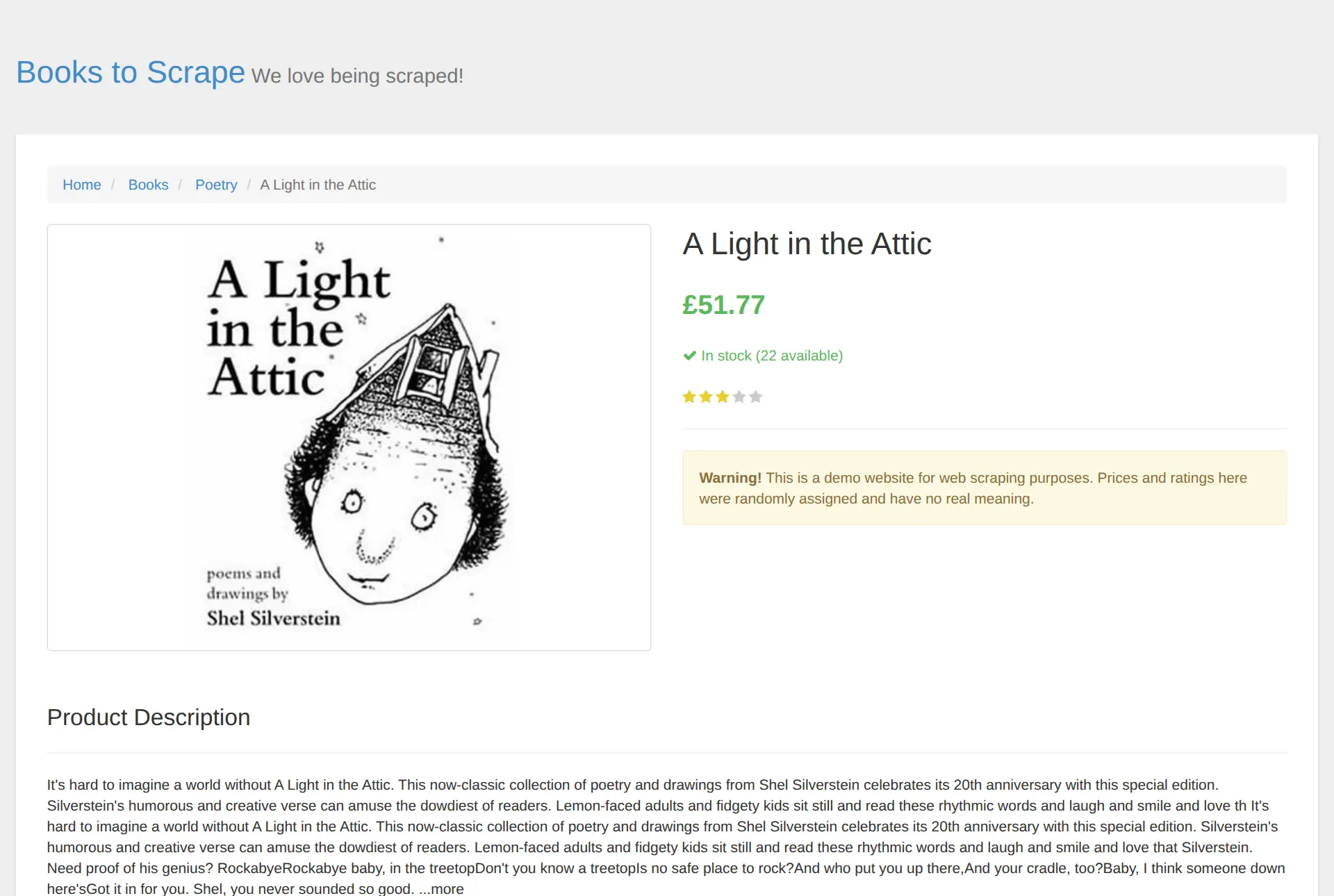
  -d '{"input":{"url":"https://books.toscrape.com/catalogue/a-light-in-the-attic_1000/index.html","rules":{"title":"div.product_main h1","price":"p.price_color","details":{"selector":"table.table tr","multiple":true,"fields":{"name":"th","value":"td"}}}}}'

# Read its records, with the id the first call answered
curl "https://api.enrichednow.com/v1/runs/$RUN_ID/records?limit=100" \
  -H "Authorization: Bearer $ENRICHEDNOW_API_KEY"
from enrichednow import EnrichedNow
client = EnrichedNow() # reads ENRICHEDNOW_API_KEY
# Start a run, wait for it to end, and get its records
result = client.scrape("web.extract", {
"url": "https://books.toscrape.com/catalogue/a-light-in-the-attic_1000/index.html",
"rules": {
"title": "div.product_main h1",
"price": "p.price_color",
"details": {
"selector": "table.table tr",
"multiple": True,
"fields": {"name": "th", "value": "td"},
},
},
})
print(result.run.id, result.run.status, result.run.record_count)
# Read its records: pages are fetched as you go
for record in result.records:
print(record)Install it with pip install enrichednow, then save as run.py and run python3 run.py
import EnrichedNow from "enrichednow";

const client = new EnrichedNow(); // reads ENRICHEDNOW_API_KEY

// Start a run, wait for it to end, and get its records
const { run, records } = await client.scrape("web.extract", {
  url: "https://books.toscrape.com/catalogue/a-light-in-the-attic_1000/index.html",
  rules: {
    title: "div.product_main h1",
    price: "p.price_color",
    details: {
      selector: "table.table tr",
      multiple: true,
      fields: { name: "th", value: "td" },
    },
  },
});
console.log(run.id, run.status, run.record_count);

// Read its records: pages are fetched as you go
for await (const record of records) console.log(record);
Install it with npm install enrichednow, then save as run.mjs and run node run.mjs
package main

import (
	"context"
	"fmt"
	"log"
	"time"

	enrichednow "github.com/enrichednow/enrichednow-go"
)

func main() {
	client, err := enrichednow.NewClient() // reads ENRICHEDNOW_API_KEY
	if err != nil {
		log.Fatal(err)
	}
	ctx, cancel := context.WithTimeout(context.Background(), 10*time.Minute)
	defer cancel()

	// Start a run, wait for it to end, and get its records
	run, records, err := client.Scrape(ctx, "web.extract", map[string]any{"url": "https://books.toscrape.com/catalogue/a-light-in-the-attic_1000/index.html", "rules": map[string]any{"title": "div.product_main h1", "price": "p.price_color", "details": map[string]any{"selector": "table.table tr", "multiple": true, "fields": map[string]any{"name": "th", "value": "td"}}}})
	if err != nil {
		log.Fatal(err)
	}
	fmt.Println(run.ID, run.Status, run.RecordCount)

	// Read its records: pages are fetched as you go
	for records.Next() {
		fmt.Println(string(records.Current()))
	}
	if err := records.Err(); err != nil {
		log.Fatal(err)
	}
}
Install it with go get github.com/enrichednow/enrichednow-go@latest, then save as run.go and run go run run.go
import com.enrichednow.EnrichedNowClient;
import com.enrichednow.ScrapeResult;
import java.util.Map;

public class Run {
    public static void main(String[] args) {
        EnrichedNowClient client = EnrichedNowClient.fromEnv(); // reads ENRICHEDNOW_API_KEY

        // Start a run, wait for it to end, and get its records
        ScrapeResult result = client.scrape("web.extract", Map.of("url", "https://books.toscrape.com/catalogue/a-light-in-the-attic_1000/index.html", "rules", Map.of("title", "div.product_main h1", "price", "p.price_color", "details", Map.of("selector", "table.table tr", "multiple", true, "fields", Map.of("name", "th", "value", "td")))));
        System.out.println(result.run().id() + " " + result.run().status() + " " + result.run().recordCount());

        // Read its records: pages are fetched as you go
        for (Map<String, Object> record : result.records()) {
            System.out.println(record);
        }
    }
}
Add com.enrichednow:enrichednow-java:0.4.0 to your Maven or Gradle build, then save as Run.java
enrichednow run web.extract --input-json '{"url":"https://books.toscrape.com/catalogue/a-light-in-the-attic_1000/index.html","rules":{"title":"div.product_main h1","price":"p.price_color","details":{"selector":"table.table tr","multiple":true,"fields":{"name":"th","value":"td"}}}}'Install it with curl -fsSL https://raw.githubusercontent.com/enrichednow/enrichednow-cli/main/install.sh | sh
What comes back
One record with what each rule selected, under its name: text, an attribute, HTML, a list, or an object of fields. A record has 8 fields. One we could not read is null, never an empty string or a zero.
{
  "url": "https://books.toscrape.com/catalogue/a-light-in-the-attic_1000/index.html",
  "final_url": "https://books.toscrape.com/catalogue/a-light-in-the-attic_1000/index.html",
  "status": 200,
  "rendered": false,
  "data": {
    "title": "A Light in the Attic",
    "price": "£51.77",
    "details": [
      {
        "name": "UPC",
        "value": "a897fe39b1053632"
      },
      {
        "name": "Product Type",
        "value": "Books"
      },
      {
        "name": "Price (excl. tax)",
        "value": "£51.77"
      }
    ]
  },
  "matched": {
    "title": 1,
    "price": 1,
    "details": 7
  },
  "truncated": false,
  "fetched_at": "2026-11-19T18:07:42.196395Z"
}
The scraper returned this record for the input above, reading a saved copy of the page, not the live site.
Values shortened for this page: data.details: 7 items, the first 3 shown.
The fields of a record
urlstring- The address that was asked for.
final_urlstring- The address of the page that was read, after redirects.
statusinteger- The HTTP status of the page.
renderedboolean- True when the page was loaded in a browser before the rules read it.
dataobject- One entry per rule, under the rule's name: a string, a list of strings, an object (a rule with
fields) or a list of objects. Null, or an empty list, where the rule selected nothing. matchedobject- For each rule, how many elements its selector found in the page.
truncatedboolean- True when something was cut: the page was longer than 3000000 bytes, a list had more than 1000 matches, or a value was longer than 50000 characters.
fetched_atdatetime- When the page was read, in UTC.
Units and limits
- Counted per request
- Billed per request: a run that returns data costs 1 unit, however many records it returns.
- A miss costs nothing
- A run that fails, that meets something not supported yet, or that you cancel costs nothing. You pay for runs that return data.
- What bounds a run
- A run may take up to 5 minutes. Its records are read in pages of up to 1,000 and are kept for 7 days.
What it does not do
- Nothing is guessed: a rule that selects nothing gives null or an empty list, and matched says how many elements each rule found.
- A run where no rule selects anything ends as failed, with the reason nothing_matched, and costs nothing.
- Up to 100 rules a run, nested three deep. A list is cut at 1,000 matches and the record's truncated field says when it was.
The bounds its schema sets
wait_ms- 0 to 10,000; 0 unless you say otherwise
timeout_s- 5 to 60; 30 unless you say otherwise
Questions
What does Web page extraction rules return?
One record with what each rule selected, under its name: text, an attribute, HTML, a list, or an object of fields. A record has 8 fields, among them url, final_url, status, rendered, data and matched. A value that could not be read is null, never an empty string or a zero.
What do I send?
The address of a public web page, and your own CSS or XPath rules, each with a name. The inputs url and rules are required. Optional: render, wait_for_selector, wait_ms and timeout_s.
How is it counted?
Billed per request: a run that returns data costs 1 unit, however many records it returns. A run that fails, that meets something not supported yet, or that you cancel costs nothing. The first 1,000 units each month are free.
How much does one run return?
Its schema sets these bounds: wait_ms 0 to 10,000 (0 unless you say otherwise); timeout_s 5 to 60 (30 unless you say otherwise). A run may take up to 5 minutes.
What does it not do?
Nothing is guessed: a rule that selects nothing gives null or an empty list, and matched says how many elements each rule found. A run where no rule selects anything ends as failed, with the reason nothing_matched, and costs nothing. Up to 100 rules a run, nested three deep. A list is cut at 1,000 matches and the record's truncated field says when it was.
How long are the records kept, and in what format do they come?
Records are kept for 7 days after the run ended, and read in pages of up to 1,000. They come as JSON, as NDJSON with one record a line, or as CSV with a column for each field.
Can an AI assistant call it?
Yes. Through the EnrichedNow MCP server an assistant calls the tool run_scraper with the scraper_id web.extract and the same input. It costs what the same API call costs.
Web
Public web pages: as the server sends them, after their scripts ran, as Markdown or as a picture, and what is in them. A domain's registration and its DNS records.
Web page
web.fetchThe address of a public web page. The status, headers and body its server sent.
Web page to Markdown
web.markdownThe address of a public web page. The page as clean Markdown, with its title, description, links and metadata.
PDF document
web.documentThe address of a public PDF, how many of its pages to read (up to 500), and whether to read scanned pages with OCR. Each page's text in reading order, the whole document as Markdown, its tables as rows and columns with their page, and its title, author and dates.
RSS and Atom feed
web.feedThe address of an RSS, Atom or JSON feed. Each entry of the feed: its title, link, summary and content as plain text, author, categories, dates, image and attached files.
Sitemap
web.sitemapA sitemap's address, or a website's address to find its sitemap from robots.txt. Every address the sitemap lists, with the last-modified date, change frequency, priority, images, language versions and news details it states.
Rendered web page
web.renderThe address of a public web page that builds its content with JavaScript. The page's HTML after a browser has loaded it and run its scripts.
News or blog article
web.articleThe address of a public news or blog article. Its title, authors, dates, section and tags, the body as text and as Markdown, the lead image, the site and the language.
Website technologies
web.techThe address of a public web page. The technologies it reveals, each with its category, version where shown, and the evidence it was recognised by.
Product page
web.productThe address of a product's page in any online shop. The product the page declares: name, brand, description, category, price and price range, list price, currency, availability, condition, rating and reviews, images, SKU, GTIN and part number, and each offer or variant.
Web page screenshot
web.screenshotThe address of a public web page, and what to take: the window, the whole page or one element, on a desktop, tablet or phone. A PNG or JPEG of the page, to download from the address in the record, with its size, format and checksum.
Page speed and weight
web.speedThe address of a public web page, a phone or a desktop, and how many times to load it (one to three). Load timings, Core Web Vitals, page weight by file type, the largest files, a 0 to 100 score and plain findings such as "3.1 MB of JavaScript".
Domain registration
web.whoisA domain name. Its registrar, creation, update and expiry dates, statuses, name servers, DNSSEC, and the registrant where the registry publishes one.
DNS records
web.dnsA host name. Its DNS records: addresses, aliases, mail servers, name servers, TXT, SOA, CAA and, when asked, SRV.
Website contacts
web.contactsA company's domain. The contact details its own website publishes: e-mail addresses, phone numbers, social profiles and postal address.
Website to Markdown
web.crawlA start page on a public website. The site's pages as clean Markdown, one record for each page.
- Industry
- Search and the open web
- Where
- Worldwide
Run it on an input of your own.
Create an account, make a key, and send the request above with your own input. The first 1,000 units each month are free.