Scraper API
TikTok
tiktok.profile_videosAvailable
TikTok profile videos
Its most recent videos: caption, hashtags, play, like, comment and share counts, length, sound, cover and link.
Give it a TikTok account's handle, or its profile address.
1 unit a record, for runs that return data. Runs that fail cost nothing. How units work
- Counted
- 1 unit a record
- Inputs
- 2, 1 required
- Record
- 30 fields
- A run takes
- up to 5 minutes
- Records kept
- 7 days
- Measured
- its success, on the status page
POST/v1/scrapers/tiktok.profile_videos/runs
sent, and answered
a record of the run30 fields
ok1 unit a record
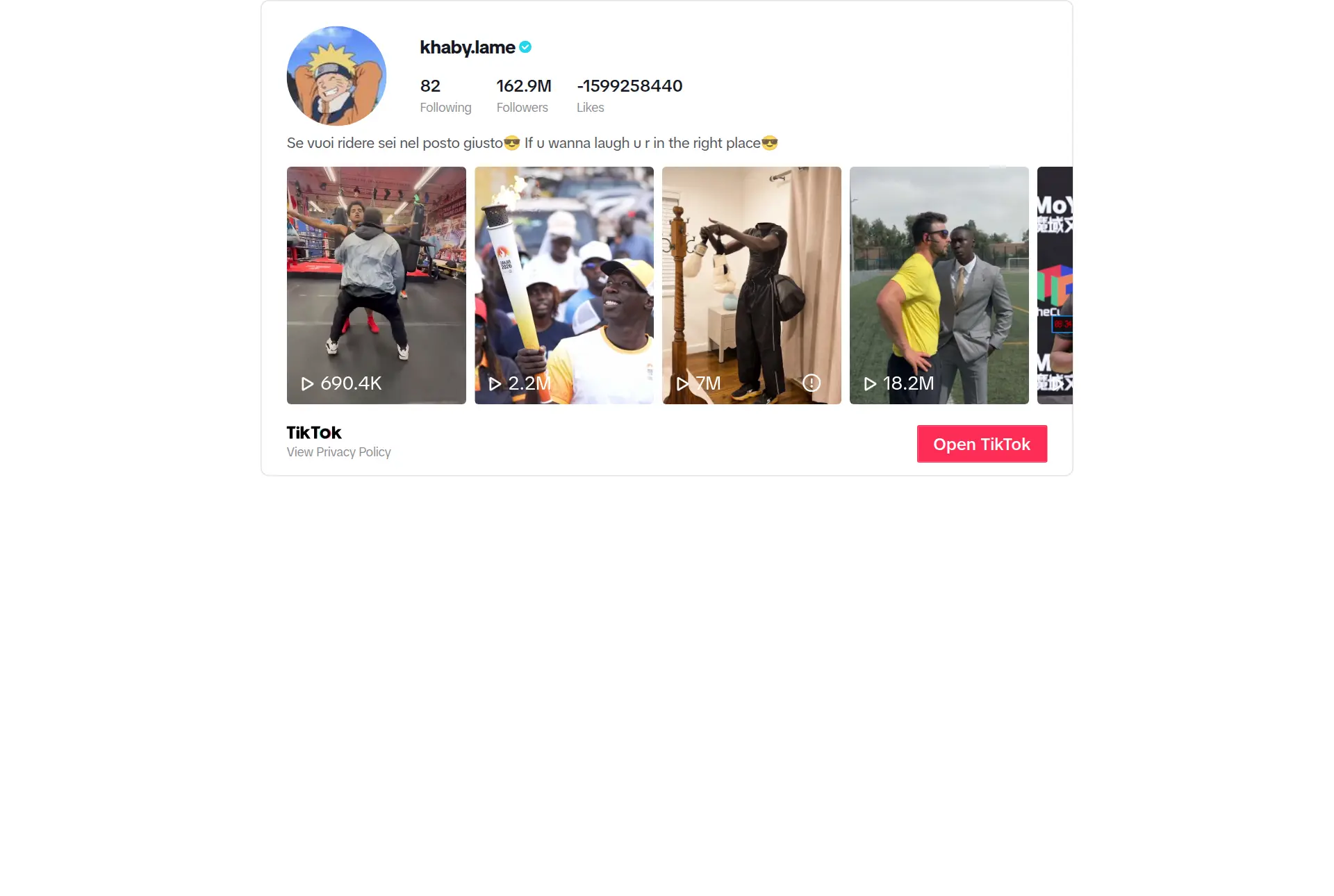
A record this scraper returned for this input. The first 9 of its 30 fields are set down here; the whole record is below.
What it is used for
- List an account's videos
- The videos a public account has posted, each with plays, likes, comments, shares and saves.
- See what performs
- Sort an account's videos by
play_countand read the captions, hashtags and sounds of the ones that travel. - Follow a campaign
- Read a partner's account during a campaign and collect the figures for each post you paid for.
What you send
A TikTok account's handle, or its profile address. These are its 2 inputs, as its schema has them.
usernamestring Required- The account's handle, e.g. nasa or @nasa, or its profile address.
max_resultsinteger Optional- Return at most this many videos, 1 to 10. 10 unless you say otherwise.Default
10
A request, ready to send
It starts a run with the input shown at the top of this page, waits up to 60 seconds for it, and reads its records. Put your key in the variable it reads.
# Start a run and wait up to 60 seconds for it to finish
curl -X POST "https://api.enrichednow.com/v1/scrapers/tiktok.profile_videos/runs?wait=60" \
  -H "Authorization: Bearer $ENRICHEDNOW_API_KEY" \
  -H "Content-Type: application/json" \
  -d '{"input":{"username":"khaby.lame","max_results":3}}'

# Read its records, with the id the first call answered
curl "https://api.enrichednow.com/v1/runs/$RUN_ID/records?limit=100" \
  -H "Authorization: Bearer $ENRICHEDNOW_API_KEY"
from enrichednow import EnrichedNow
client = EnrichedNow() # reads ENRICHEDNOW_API_KEY
# Start a run, wait for it to end, and get its records
result = client.scrape("tiktok.profile_videos", {
"username": "khaby.lame",
"max_results": 3,
})
print(result.run.id, result.run.status, result.run.record_count)
# Read its records: pages are fetched as you go
for record in result.records:
print(record)Install it with pip install enrichednow, then save as run.py and run python3 run.py
import EnrichedNow from "enrichednow";

const client = new EnrichedNow(); // reads ENRICHEDNOW_API_KEY

// Start a run, wait for it to end, and get its records
const { run, records } = await client.scrape("tiktok.profile_videos", {
  username: "khaby.lame",
  max_results: 3,
});
console.log(run.id, run.status, run.record_count);

// Read its records: pages are fetched as you go
for await (const record of records) console.log(record);
Install it with npm install enrichednow, then save as run.mjs and run node run.mjs
package main

import (
	"context"
	"fmt"
	"log"
	"time"

	enrichednow "github.com/enrichednow/enrichednow-go"
)

func main() {
	client, err := enrichednow.NewClient() // reads ENRICHEDNOW_API_KEY
	if err != nil {
		log.Fatal(err)
	}
	ctx, cancel := context.WithTimeout(context.Background(), 10*time.Minute)
	defer cancel()

	// Start a run, wait for it to end, and get its records
	run, records, err := client.Scrape(ctx, "tiktok.profile_videos", map[string]any{"username": "khaby.lame", "max_results": 3})
	if err != nil {
		log.Fatal(err)
	}
	fmt.Println(run.ID, run.Status, run.RecordCount)

	// Read its records: pages are fetched as you go
	for records.Next() {
		fmt.Println(string(records.Current()))
	}
	if err := records.Err(); err != nil {
		log.Fatal(err)
	}
}
Install it with go get github.com/enrichednow/enrichednow-go@latest, then save as run.go and run go run run.go
import com.enrichednow.EnrichedNowClient;
import com.enrichednow.ScrapeResult;
import java.util.Map;

public class Run {
    public static void main(String[] args) {
        EnrichedNowClient client = EnrichedNowClient.fromEnv(); // reads ENRICHEDNOW_API_KEY

        // Start a run, wait for it to end, and get its records
        ScrapeResult result = client.scrape("tiktok.profile_videos", Map.of("username", "khaby.lame", "max_results", 3));
        System.out.println(result.run().id() + " " + result.run().status() + " " + result.run().recordCount());

        // Read its records: pages are fetched as you go
        for (Map<String, Object> record : result.records()) {
            System.out.println(record);
        }
    }
}
Add com.enrichednow:enrichednow-java:0.4.0 to your Maven or Gradle build, then save as Run.java
enrichednow run tiktok.profile_videos --input username=khaby.lame --input max_results=3Install it with curl -fsSL https://raw.githubusercontent.com/enrichednow/enrichednow-cli/main/install.sh | sh
What comes back
Its most recent videos: caption, hashtags, play, like, comment and share counts, length, sound, cover and link. A record has 30 fields. One we could not read is null, never an empty string or a zero.
{
  "id": "7709194461913419038",
  "url": "https://www.tiktok.com/@khaby.lame/video/7709194461913419038",
  "caption": "Coach, I’ll be right back… trust me 👀    #learnfromkhaby #comedy #imnotcomingback",
  "hashtags": [
    "learnfromkhaby",
    "comedy",
    "imnotcomingback"
  ],
  "mentions": [],
  "created_at": "2026-11-17T17:32:13Z",
  "author_username": "khaby.lame",
  "author_display_name": "Khabane lame",
  "author_id": "127905465618821121",
  "author_verified": true,
  "play_count": 610600,
  "like_count": 84300,
  "comment_count": 2328,
  "share_count": 1020,
  "save_count": 4044,
  "repost_count": 0,
  "duration_seconds": 27,
  "width": 720,
  "height": 1280,
  "cover_url": "https://p19-common-sign.tiktokcdn-us.com/tos-useast8-p-0068-tx2/o0sVfEB2IICimH9OfIAAIEdiII82J0Qe6rLjqj~tplv-tiktokx-origin.image?dr=9636&x-expires=1795201200&x-signature=4Zkb%2FCzMQn6JRk3X3wWwJUB390k%3D&t=4d5b0474&ps=13740610&shp=81f88b70&shcp=43f4a2f9&idc=useast8",
  "is_photo_post": false,
  "image_urls": [],
  "music_id": "7709194927938325278",
  "music_title": "original sound",
  "music_author": "Khabane lame",
  "music_original": true,
  "location_created": "US",
  "language": "en",
  "is_ad": false,
  "fetched_at": "2026-11-19T18:07:41.490772Z"
}
The scraper returned this record for the input above, reading a saved copy of the page, not the live site.
The fields of a record
idstring- TikTok's id of the video.
urlstring- The video's address.
captionstring or null- The caption, hashtags and mentions included, as written.
hashtagslist of strings- The hashtags of the caption, without the #, in order.
mentionslist of strings- The handles the caption mentions, without the @, in order.
created_atdatetime or null- When the video was posted, in UTC; null when the video's own page could not be read.
author_usernamestring or null- The handle of the account that posted it, without the @.
author_display_namestring or null- That account's display name.
author_idstring or null- TikTok's numeric id of that account, when the page states it.
author_verifiedboolean or null- True when that account carries the verified badge; null when the page does not say.
play_countinteger or null- Number of plays. TikTok rounds large numbers (610600 for 610.6K).
like_countinteger or null- Number of likes. TikTok rounds large numbers (84300 for 84.3K).
comment_countinteger or null- Number of comments.
share_countinteger or null- Number of shares.
save_countinteger or null- Number of times the video was saved to favourites; null where the page does not state it.
repost_countinteger or null- Number of reposts; null where the page does not state it.
duration_secondsinteger or null- Length of the video in seconds; 0 or null for a photo post.
widthinteger or null- Width of the video in pixels.
heightinteger or null- Height of the video in pixels.
cover_urlstring or null- The cover image. TikTok signs this address and it stops working after some hours.
is_photo_postboolean or null- True for a post of photos instead of a video.
image_urlslist of strings- The photos of a photo post, in order; empty for a video. Signed addresses, like the cover.
music_idstring or null- TikTok's id of the sound.
music_titlestring or null- The title of the sound, e.g. "original sound".
music_authorstring or null- Who the sound is credited to.
music_originalboolean or null- True when the sound is the poster's own recording; null where the page does not say.
location_createdstring or null- The two-letter country code TikTok records as where the video was posted from, when stated.
languagestring or null- The language of the caption as TikTok detects it, e.g. en.
is_adboolean or null- True when TikTok marks the video as an advertisement.
fetched_atdatetime- When the page was read, in UTC.
Units and limits
- Counted per record
- Billed per record: a run that returns data costs 1 unit for each record it returns.
- A miss costs nothing
- A run that fails, that meets something not supported yet, or that you cancel costs nothing. You pay for runs that return data.
- What bounds a run
- A run may take up to 5 minutes. Its records are read in pages of up to 1,000 and are kept for 7 days.
What it does not do
- The ten or so most recent videos, pinned ones first. Older videos are not reached.
- A private account's videos are not read: the run ends as failed, with the reason private_account, and costs nothing.
The bounds its schema sets
max_results- 1 to 10; 10 unless you say otherwise
Questions
What does TikTok profile videos return?
Its most recent videos: caption, hashtags, play, like, comment and share counts, length, sound, cover and link. A record has 30 fields, among them id, url, caption, hashtags, mentions and created_at. A value that could not be read is null, never an empty string or a zero.
What do I send?
A TikTok account's handle, or its profile address. The input username is required. Optional: max_results.
How is it counted?
Billed per record: a run that returns data costs 1 unit for each record it returns. A run that fails, that meets something not supported yet, or that you cancel costs nothing. The first 1,000 units each month are free.
How much does one run return?
Its schema sets these bounds: max_results 1 to 10 (10 unless you say otherwise). A run may take up to 5 minutes.
What does it not do?
The ten or so most recent videos, pinned ones first. Older videos are not reached. A private account's videos are not read: the run ends as failed, with the reason private_account, and costs nothing.
How long are the records kept, and in what format do they come?
Records are kept for 7 days after the run ended, and read in pages of up to 1,000. They come as JSON, as NDJSON with one record a line, or as CSV with a column for each field.
Can an AI assistant call it?
Yes. Through the EnrichedNow MCP server an assistant calls the tool run_scraper with the scraper_id tiktok.profile_videos and the same input. It costs what the same API call costs.
TikTok
Public TikTok accounts and their videos, as a visitor who is not signed in sees them.
TikTok profile
tiktok.profileA TikTok account's handle, or its profile address. Its names, bio, bio link, verified badge and its follower, following, like and video counts.
TikTok video
tiktok.videoA TikTok video's address, or its id. Its caption, hashtags, play, like, comment, share and save counts, length, sound, cover and author.
TikTok comments
tiktok.commentsA TikTok video's address or id, and optionally how many comments and where to continue. Its comments in TikTok's order: text, time, likes, number of replies, and the commenter's display name.
- Industry
- Social and video
- Where
- Worldwide
Run it on an input of your own.
Create an account, make a key, and send the request above with your own input. The first 1,000 units each month are free.