Scraper API
Ticketmaster
ticketmaster.searchAvailable
Ticketmaster search
The events on a page of the results: title, start time and time zone, on-sale and presale dates, venue with address and coordinates, artists, and whether the event is cancelled, postponed, rescheduled or sold out.
Give it a search: an artist, a team, a show, a venue or a city, and which Ticketmaster site to ask.
1 unit a run, for runs that return data. Runs that fail cost nothing. How units work
- Counted
- 1 unit a run
- Inputs
- 5, 1 required
- Record
- 31 fields
- A run takes
- up to 5 minutes
- Records kept
- 7 days
- Measured
- its success, on the status page
POST/v1/scrapers/ticketmaster.search/runs
sent, and answered
a record of the run31 fields
ok1 unit a run
A record this scraper returned for this input. The first 9 of its 31 fields are set down here; the whole record is below.
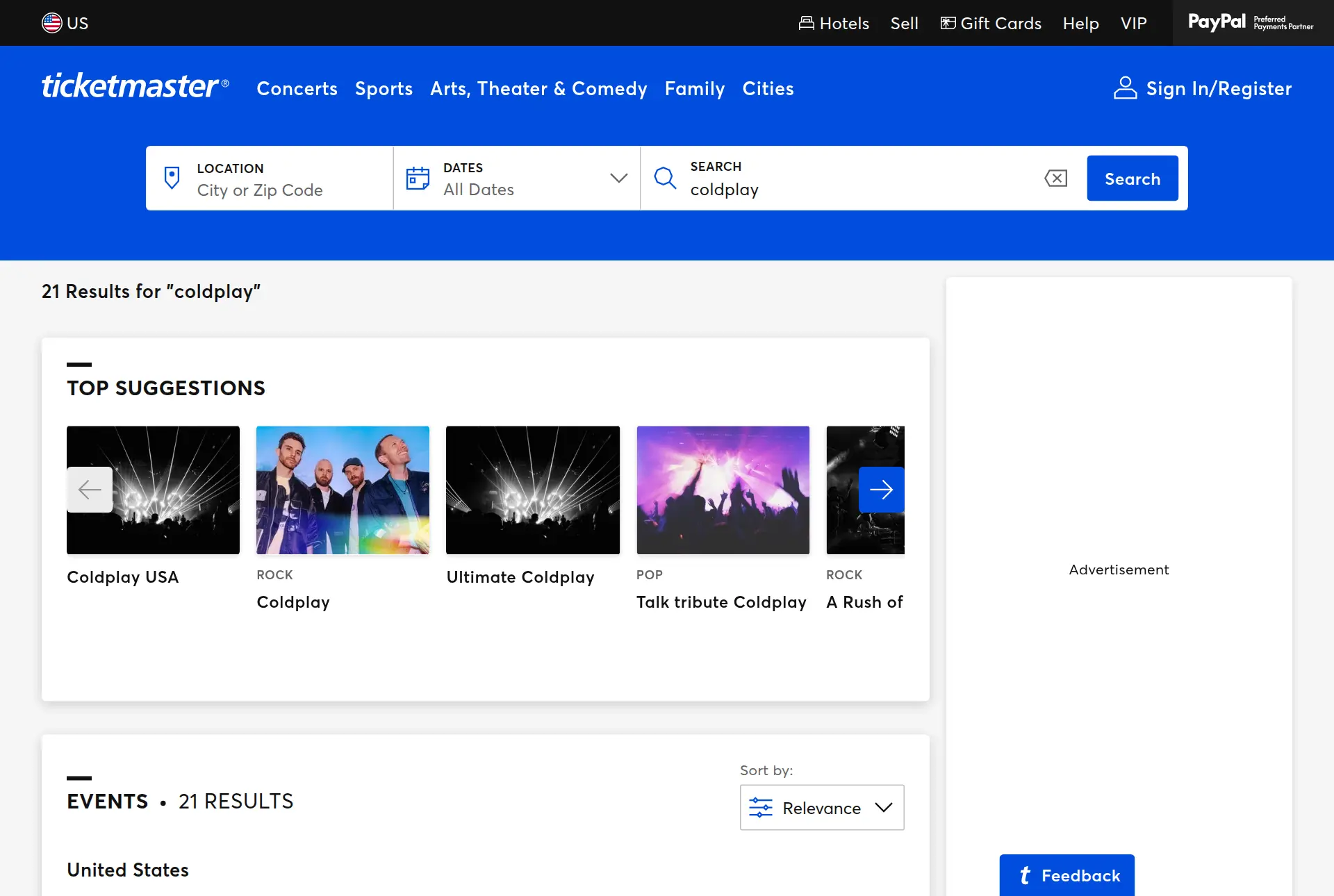
What it is used for
- Build an events calendar
- Search an artist, team, venue or city and get each event's date, time zone, venue with address and pin, artists and the page tickets are sold on.
- Watch a tour's status
- Read the search for an artist on your schedule and follow
sold_out,limited_availability,postponedandcancelledfor each date. - See where a tour plays
- Search an artist on several country sites and count the events by
cityand venue, to see where a tour goes and where it does not.
What you send
A search: an artist, a team, a show, a venue or a city, and which Ticketmaster site to ask. These are its 5 inputs, as its schema has them.
querystring Required- What to search for: an artist, a team, a show, a venue or a city.
countrystring Optional- The Ticketmaster site to search: US, CA, GB, IE, AU, NZ or MX. US unless you say otherwise.Default
US sortstring Optional- relevance, the site's own order, or date, the soonest event first.Default
relevance pageinteger Optional- The results page, from 1. A page holds up to 20 events.Default
1 max_resultsinteger Optional- Return at most this many events of the page.
A request, ready to send
It starts a run with the input shown at the top of this page, waits up to 60 seconds for it, and reads its records. Put your key in the variable it reads.
# Start a run and wait up to 60 seconds for it to finish
curl -X POST "https://api.enrichednow.com/v1/scrapers/ticketmaster.search/runs?wait=60" \
  -H "Authorization: Bearer $ENRICHEDNOW_API_KEY" \
  -H "Content-Type: application/json" \
  -d '{"input":{"query":"coldplay"}}'

# Read its records, with the id the first call answered
curl "https://api.enrichednow.com/v1/runs/$RUN_ID/records?limit=100" \
  -H "Authorization: Bearer $ENRICHEDNOW_API_KEY"
from enrichednow import EnrichedNow
client = EnrichedNow() # reads ENRICHEDNOW_API_KEY
# Start a run, wait for it to end, and get its records
result = client.scrape("ticketmaster.search", {"query": "coldplay"})
print(result.run.id, result.run.status, result.run.record_count)
# Read its records: pages are fetched as you go
for record in result.records:
print(record)Install it with pip install enrichednow, then save as run.py and run python3 run.py
import EnrichedNow from "enrichednow";

const client = new EnrichedNow(); // reads ENRICHEDNOW_API_KEY

// Start a run, wait for it to end, and get its records
const { run, records } = await client.scrape("ticketmaster.search", { query: "coldplay" });
console.log(run.id, run.status, run.record_count);

// Read its records: pages are fetched as you go
for await (const record of records) console.log(record);
Install it with npm install enrichednow, then save as run.mjs and run node run.mjs
package main

import (
	"context"
	"fmt"
	"log"
	"time"

	enrichednow "github.com/enrichednow/enrichednow-go"
)

func main() {
	client, err := enrichednow.NewClient() // reads ENRICHEDNOW_API_KEY
	if err != nil {
		log.Fatal(err)
	}
	ctx, cancel := context.WithTimeout(context.Background(), 10*time.Minute)
	defer cancel()

	// Start a run, wait for it to end, and get its records
	run, records, err := client.Scrape(ctx, "ticketmaster.search", map[string]any{"query": "coldplay"})
	if err != nil {
		log.Fatal(err)
	}
	fmt.Println(run.ID, run.Status, run.RecordCount)

	// Read its records: pages are fetched as you go
	for records.Next() {
		fmt.Println(string(records.Current()))
	}
	if err := records.Err(); err != nil {
		log.Fatal(err)
	}
}
Install it with go get github.com/enrichednow/enrichednow-go@latest, then save as run.go and run go run run.go
import com.enrichednow.EnrichedNowClient;
import com.enrichednow.ScrapeResult;
import java.util.Map;

public class Run {
    public static void main(String[] args) {
        EnrichedNowClient client = EnrichedNowClient.fromEnv(); // reads ENRICHEDNOW_API_KEY

        // Start a run, wait for it to end, and get its records
        ScrapeResult result = client.scrape("ticketmaster.search", Map.of("query", "coldplay"));
        System.out.println(result.run().id() + " " + result.run().status() + " " + result.run().recordCount());

        // Read its records: pages are fetched as you go
        for (Map<String, Object> record : result.records()) {
            System.out.println(record);
        }
    }
}
Add com.enrichednow:enrichednow-java:0.4.0 to your Maven or Gradle build, then save as Run.java
enrichednow run ticketmaster.search --input query=coldplayInstall it with curl -fsSL https://raw.githubusercontent.com/enrichednow/enrichednow-cli/main/install.sh | sh
What comes back
The events on a page of the results: title, start time and time zone, on-sale and presale dates, venue with address and coordinates, artists, and whether the event is cancelled, postponed, rescheduled or sold out. A record has 31 fields. One we could not read is null, never an empty string or a zero.
{
  "event_id": "0100656913048C3C",
  "name": "Back To The Start: A Tribute to Coldplay",
  "url": "https://www.ticketmaster.com/back-to-the-start-a-tribute-portsmouth-new-hampshire-01-31-2027/event/0100656913048C3C",
  "starts_at": "2027-02-01T00:30:00Z",
  "timezone": "America/New_York",
  "date_tba": false,
  "spans_multiple_days": false,
  "onsale_at": "2026-11-13T15:00:00Z",
  "presales": [
    {
      "name": "Inner Circle & Benefactor Presale",
      "starts_at": "2026-11-10T15:00:00Z",
      "ends_at": "2026-11-13T15:00:00Z"
    },
    {
      "name": "Patron Presale",
      "starts_at": "2026-11-11T15:00:00Z",
      "ends_at": "2026-11-13T15:00:00Z"
    }
  ],
  "venue": "Jimmy's Jazz and Blues Club",
  "venue_url": "https://www.ticketmaster.com/jimmys-jazz-and-blues-club-tickets-portsmouth/venue/9375",
  "address": "135 Congress Street",
  "city": "Portsmouth",
  "region": "NH",
  "postal_code": "03801",
  "country_code": "US",
  "country": "United States",
  "latitude": 43.07634404,
  "longitude": -70.76009881,
  "artists": [],
  "image": null,
  "seat_map": "https://mapsapi.tmol.io/maps/geometry/3/event/0100656913048C3C/staticImage?type=png&systemId=HOST",
  "cancelled": false,
  "postponed": false,
  "rescheduled": false,
  "sold_out": false,
  "limited_availability": false,
  "virtual": false,
  "position": 1,
  "page": 1,
  "fetched_at": "2026-11-19T18:07:41.467839Z"
}
The scraper returned this record for the input above, reading a saved copy of the page, not the live site.
Values shortened for this page: presales: 3 items, the first 2 shown.
The fields of a record
event_idstring- The id the results give the event. For an event sold on Ticketmaster itself it is the last part of its page's address; a partner's event has the partner's id.
namestring- The event's title.
urlstring- The page tickets are sold on. Usually on Ticketmaster; for some events on a partner's site (Ticketweb, Universe, a Ticketmaster site of another country).
starts_atstring or null- When the event starts, in UTC (ISO 8601). Null when the date is not announced.
timezonestring or null- The venue's time zone, e.g.
America/New_York: the clockstarts_atis to be read on. date_tbaboolean or null- True when the date is still to be announced.
spans_multiple_daysboolean or null- True for an event that runs over several days.
onsale_atstring or null- When tickets go, or went, on general sale, in UTC (ISO 8601).
presaleslist of objects- The presales the page lists, in its order.Each holds
name,starts_at,ends_at. venuestring or null- The venue's name.
venue_urlstring or null- The venue's page on Ticketmaster.
addressstring or null- The venue's street address.
citystring or null- The venue's city.
regionstring or null- The state or province code, e.g.
NH. Null where the country has none on the page. postal_codestring or null- The venue's postal code.
country_codestring or null- The two-letter country code, e.g.
US. countrystring or null- The country's name.
latitudenumber or null- The venue's latitude, in decimal degrees.
longitudenumber or null- The venue's longitude.
artistslist of objects- The artists, teams or shows the event is listed under.Each holds
name,url. imagestring or null- The picture of the first artist listed.
seat_mapstring or null- The picture of the venue's seat map for the event.
cancelledboolean or null- True when the event is cancelled.
postponedboolean or null- True when the event is postponed.
rescheduledboolean or null- True when the event has been moved to another date.
sold_outboolean or null- True when the results mark the event as sold out.
limited_availabilityboolean or null- True when the results mark few tickets as left.
virtualboolean or null- True for an event held online.
positioninteger- The event's position on the results page, from 1.
pageinteger- The results page it was on.
fetched_atdatetime- When the page was read, in UTC.
Units and limits
- Counted per request
- Billed per request: a run that returns data costs 1 unit, however many records it returns.
- A miss costs nothing
- A run that fails, that meets something not supported yet, or that you cancel costs nothing. You pay for runs that return data.
- What bounds a run
- A run may take up to 5 minutes. Its records are read in pages of up to 1,000 and are kept for 7 days.
What it does not do
- One run reads one page of results, up to 20 events.
- Search results only: an event's own page, with ticket prices and availability, is not read, so a record has no price.
- Each site lists its own country's events first and then other countries'. An event's address is where its tickets are sold, which for some events is a partner's site.
- The start time is given in UTC with the venue's time zone beside it.
The bounds its schema sets
country- US, CA, GB, IE, AU, NZ, MX; US unless you say otherwise
sort- relevance, date; relevance unless you say otherwise
page- 1 to 500; 1 unless you say otherwise
max_results- 1 to 20
Questions
What does Ticketmaster search return?
The events on a page of the results: title, start time and time zone, on-sale and presale dates, venue with address and coordinates, artists, and whether the event is cancelled, postponed, rescheduled or sold out. A record has 31 fields, among them event_id, name, url, starts_at, timezone and date_tba. A value that could not be read is null, never an empty string or a zero.
What do I send?
A search: an artist, a team, a show, a venue or a city, and which Ticketmaster site to ask. The input query is required. Optional: country, sort, page and max_results.
How is it counted?
Billed per request: a run that returns data costs 1 unit, however many records it returns. A run that fails, that meets something not supported yet, or that you cancel costs nothing. The first 1,000 units each month are free.
How much does one run return?
Its schema sets these bounds: country US, CA, GB, IE, AU, NZ, MX (US unless you say otherwise); sort relevance, date (relevance unless you say otherwise); page 1 to 500 (1 unless you say otherwise); max_results 1 to 20. A run may take up to 5 minutes.
What does it not do?
One run reads one page of results, up to 20 events. Search results only: an event's own page, with ticket prices and availability, is not read, so a record has no price. Each site lists its own country's events first and then other countries'. An event's address is where its tickets are sold, which for some events is a partner's site. The start time is given in UTC with the venue's time zone beside it.
How long are the records kept, and in what format do they come?
Records are kept for 7 days after the run ended, and read in pages of up to 1,000. They come as JSON, as NDJSON with one record a line, or as CSV with a column for each field.
Can an AI assistant call it?
Yes. Through the EnrichedNow MCP server an assistant calls the tool run_scraper with the scraper_id ticketmaster.search and the same input. It costs what the same API call costs.
Ticketmaster
Ticketmaster's public search results: events with their dates, venues and artists, as a visitor who is not signed in sees them.
- Industry
- Travel, food and places
- Where
- United StatesCanadaUnited KingdomIrelandAustralia7 countries in all
Run it on an input of your own.
Create an account, make a key, and send the request above with your own input. The first 1,000 units each month are free.