Scraper API
Steam
steam.reviewsAvailable
Steam reviews
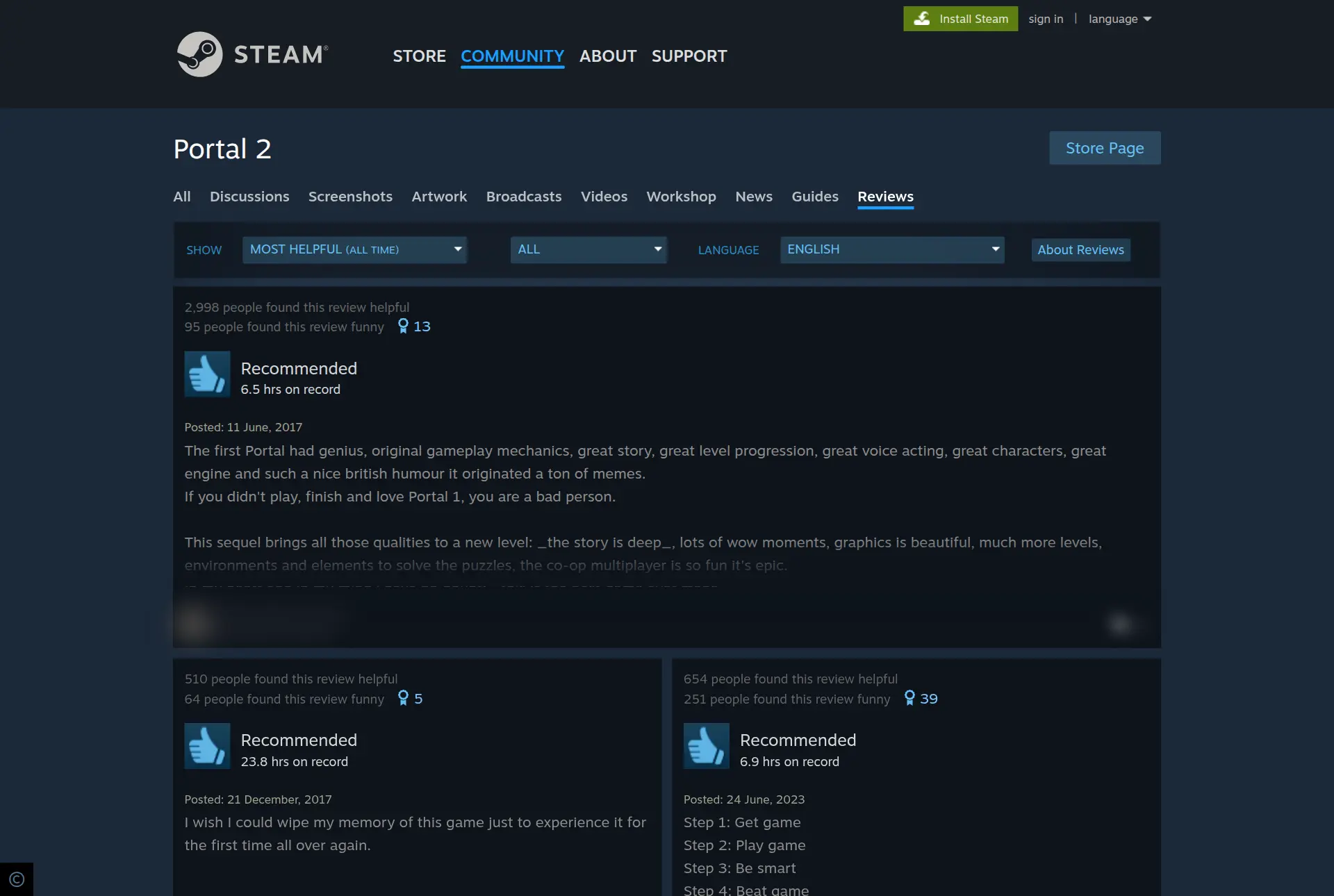
Its user reviews, newest or most helpful first: the text, thumbs up or down, helpful and funny votes, language, dates, and the hours the reviewer had played.
Give it a game's id in the Steam store, or the address of its store page, and how many reviews you want.
1 unit a record, for runs that return data. Runs that fail cost nothing. How units work
- Counted
- 1 unit a record
- Inputs
- 6, 1 required
- Record
- 19 fields
- A run takes
- up to 5 minutes
- Records kept
- 7 days
- Measured
- its success, on the status page
POST/v1/scrapers/steam.reviews/runs
sent, and answered
a record of the run19 fields
ok1 unit a record
A record this scraper returned for this input. The first 9 of its 19 fields are set down here; the whole record is below.
What it is used for
- Hear what players say
- A game's user reviews with their text, thumbs up or down and helpful votes, to sort into praise, complaints and requests.
- Follow sentiment after a patch
- Read the newest reviews after an update and count
recommendedagainst the rest, day by day. - Weigh reviews by playtime
playtime_at_review_hourstells a first impression from the view of someone with a hundred hours in the game.
What you send
A game's id in the Steam store, or the address of its store page, and how many reviews you want. These are its 6 inputs, as its schema has them.
appstring Required- The app's id in the Steam store (
620), or the address of its store page (https://store.steampowered.com/app/620/Portal_2/). max_resultsinteger Optional- How many reviews to return at most (default 20, up to 300).Default
20 orderstring Optionalrecent: newest first (default).updated: most recently edited first.helpful: the ones users found most helpful first.Defaultrecentlanguagestring Optional- Only reviews written in this language, in Steam's name for it (
english,german,schinese, ...);all(default) for every language.Defaultall review_typestring Optional- Only thumbs-up reviews, only thumbs-down ones, or both (default).Default
all purchase_typestring Optionalsteam: only reviewers who bought the item on Steam.other: only those who activated a key from elsewhere.all(default): both.Defaultall
A request, ready to send
It starts a run with the input shown at the top of this page, waits up to 60 seconds for it, and reads its records. Put your key in the variable it reads.
# Start a run and wait up to 60 seconds for it to finish
curl -X POST "https://api.enrichednow.com/v1/scrapers/steam.reviews/runs?wait=60" \
  -H "Authorization: Bearer $ENRICHEDNOW_API_KEY" \
  -H "Content-Type: application/json" \
  -d '{"input":{"app":"620","max_results":5,"language":"english"}}'

# Read its records, with the id the first call answered
curl "https://api.enrichednow.com/v1/runs/$RUN_ID/records?limit=100" \
  -H "Authorization: Bearer $ENRICHEDNOW_API_KEY"
from enrichednow import EnrichedNow
client = EnrichedNow() # reads ENRICHEDNOW_API_KEY
# Start a run, wait for it to end, and get its records
result = client.scrape("steam.reviews", {
"app": "620",
"max_results": 5,
"language": "english",
})
print(result.run.id, result.run.status, result.run.record_count)
# Read its records: pages are fetched as you go
for record in result.records:
print(record)Install it with pip install enrichednow, then save as run.py and run python3 run.py
import EnrichedNow from "enrichednow";

const client = new EnrichedNow(); // reads ENRICHEDNOW_API_KEY

// Start a run, wait for it to end, and get its records
const { run, records } = await client.scrape("steam.reviews", {
  app: "620",
  max_results: 5,
  language: "english",
});
console.log(run.id, run.status, run.record_count);

// Read its records: pages are fetched as you go
for await (const record of records) console.log(record);
Install it with npm install enrichednow, then save as run.mjs and run node run.mjs
package main

import (
	"context"
	"fmt"
	"log"
	"time"

	enrichednow "github.com/enrichednow/enrichednow-go"
)

func main() {
	client, err := enrichednow.NewClient() // reads ENRICHEDNOW_API_KEY
	if err != nil {
		log.Fatal(err)
	}
	ctx, cancel := context.WithTimeout(context.Background(), 10*time.Minute)
	defer cancel()

	// Start a run, wait for it to end, and get its records
	run, records, err := client.Scrape(ctx, "steam.reviews", map[string]any{"app": "620", "max_results": 5, "language": "english"})
	if err != nil {
		log.Fatal(err)
	}
	fmt.Println(run.ID, run.Status, run.RecordCount)

	// Read its records: pages are fetched as you go
	for records.Next() {
		fmt.Println(string(records.Current()))
	}
	if err := records.Err(); err != nil {
		log.Fatal(err)
	}
}
Install it with go get github.com/enrichednow/enrichednow-go@latest, then save as run.go and run go run run.go
import com.enrichednow.EnrichedNowClient;
import com.enrichednow.ScrapeResult;
import java.util.Map;

public class Run {
    public static void main(String[] args) {
        EnrichedNowClient client = EnrichedNowClient.fromEnv(); // reads ENRICHEDNOW_API_KEY

        // Start a run, wait for it to end, and get its records
        ScrapeResult result = client.scrape("steam.reviews", Map.of("app", "620", "max_results", 5, "language", "english"));
        System.out.println(result.run().id() + " " + result.run().status() + " " + result.run().recordCount());

        // Read its records: pages are fetched as you go
        for (Map<String, Object> record : result.records()) {
            System.out.println(record);
        }
    }
}
Add com.enrichednow:enrichednow-java:0.4.0 to your Maven or Gradle build, then save as Run.java
enrichednow run steam.reviews --input-json '{"app":"620","max_results":5,"language":"english"}'Install it with curl -fsSL https://raw.githubusercontent.com/enrichednow/enrichednow-cli/main/install.sh | sh
What comes back
Its user reviews, newest or most helpful first: the text, thumbs up or down, helpful and funny votes, language, dates, and the hours the reviewer had played. A record has 19 fields. One we could not read is null, never an empty string or a zero.
{
  "review_id": "240526479",
  "app_id": 620,
  "language": "english",
  "text": "SPAAAAACE!!!",
  "recommended": true,
  "votes_helpful": 1,
  "votes_funny": 0,
  "comment_count": 0,
  "created_at": "2026-11-18T20:19:55Z",
  "updated_at": "2026-11-18T20:19:55Z",
  "playtime_at_review_hours": 15.3,
  "playtime_total_hours": 15.3,
  "reviewer_games_owned": 50,
  "reviewer_review_count": 4,
  "purchased_on_steam": true,
  "received_for_free": false,
  "written_during_early_access": false,
  "played_mostly_on_steam_deck": false,
  "fetched_at": "2026-11-19T18:07:41.339734Z"
}
The scraper returned this record for the input above, reading a saved copy of the page, not the live site.
The fields of a record
review_idstring- Steam's id of the review.
app_idinteger- The app the review is of.
languagestring or null- The language the review is written in, in Steam's name for it, e.g.
english,schinese. textstring or null- The review's text, with Steam's formatting marks (
[b],[h1]) as written. recommendedboolean or null- True for a thumbs-up review, false for a thumbs-down one.
votes_helpfulinteger or null- How many users marked the review helpful.
votes_funnyinteger or null- How many users marked the review funny.
comment_countinteger or null- The number of comments under the review.
created_atdatetime or null- When the review was posted, in UTC.
updated_atdatetime or null- When the review was last edited, in UTC; equal to
created_atfor one never edited. playtime_at_review_hoursnumber or null- The hours the reviewer had played when they wrote the review.
playtime_total_hoursnumber or null- The hours the reviewer has played in all.
reviewer_games_ownedinteger or null- How many games the reviewer owns, where their profile shows it.
reviewer_review_countinteger or null- How many reviews the reviewer has written.
purchased_on_steamboolean or null- True when the reviewer bought the item on Steam; false for a key activated from elsewhere.
received_for_freeboolean or null- True when the reviewer says they got the item for free.
written_during_early_accessboolean or null- True when the review was written while the item was in early access.
played_mostly_on_steam_deckboolean or null- True when the reviewer played mostly on a Steam Deck at the time.
fetched_atdatetime- When the store answered, in UTC.
Units and limits
- Counted per record
- Billed per record: a run that returns data costs 1 unit for each record it returns.
- A miss costs nothing
- A run that fails, that meets something not supported yet, or that you cancel costs nothing. You pay for runs that return data.
- What bounds a run
- A run may take up to 5 minutes. Its records are read in pages of up to 1,000 and are kept for 7 days.
What it does not do
- Up to 300 reviews a run. You can filter by language, by thumbs up or down, and by where the game was bought.
- The reviewer is not identified: no name, no profile, no Steam id.
- A game without reviews ends as ok with no records, and costs nothing.
The bounds its schema sets
max_results- 1 to 300; 20 unless you say otherwise
order- recent, updated, helpful; recent unless you say otherwise
review_type- all, positive, negative; all unless you say otherwise
purchase_type- all, steam, other; all unless you say otherwise
Questions
What does Steam reviews return?
Its user reviews, newest or most helpful first: the text, thumbs up or down, helpful and funny votes, language, dates, and the hours the reviewer had played. A record has 19 fields, among them review_id, app_id, language, text, recommended and votes_helpful. A value that could not be read is null, never an empty string or a zero.
What do I send?
A game's id in the Steam store, or the address of its store page, and how many reviews you want. The input app is required. Optional: max_results, order, language, review_type and purchase_type.
How is it counted?
Billed per record: a run that returns data costs 1 unit for each record it returns. A run that fails, that meets something not supported yet, or that you cancel costs nothing. The first 1,000 units each month are free.
How much does one run return?
Its schema sets these bounds: max_results 1 to 300 (20 unless you say otherwise); order recent, updated, helpful (recent unless you say otherwise); review_type all, positive, negative (all unless you say otherwise); purchase_type all, steam, other (all unless you say otherwise). A run may take up to 5 minutes.
What does it not do?
Up to 300 reviews a run. You can filter by language, by thumbs up or down, and by where the game was bought. The reviewer is not identified: no name, no profile, no Steam id. A game without reviews ends as ok with no records, and costs nothing.
How long are the records kept, and in what format do they come?
Records are kept for 7 days after the run ended, and read in pages of up to 1,000. They come as JSON, as NDJSON with one record a line, or as CSV with a column for each field.
Can an AI assistant call it?
Yes. Through the EnrichedNow MCP server an assistant calls the tool run_scraper with the scraper_id steam.reviews and the same input. It costs what the same API call costs.
Steam
The Steam store's public pages: search results, a game's store page and its user reviews, for the country you name.
Steam search
steam.searchWords to search the Steam store for, and optionally a page, an order, a country and a language. A page of the store's results: each item's id, name, release date, platforms, review summary with its share and count, the price in that country, and the discount.
Steam app
steam.appA game's or another item's id in the Steam store, or the address of its store page, with a country and a language. What the store says about it: name, kind, price and discount in that country, developers, publishers, release date, platforms, genres, features, descriptions, languages, Metacritic score, screenshots and system requirements.
- Industry
- News, music and books
- Where
- Worldwide
Run it on an input of your own.
Create an account, make a key, and send the request above with your own input. The first 1,000 units each month are free.