Scraper API
Building permitspermits.searchAvailable
Building permits
The city's newest permits in one shape: number, type, trade, status, issue and application dates, address, value, description, and the contractor's business and licence where published.
Give it a US city or county, and optionally dates, an address, a contractor, a permit number or a word.
1 unit a run, for runs that return data. Runs that fail cost nothing. How units work
- Counted
- 1 unit a run
- Inputs
- 9, 1 required
- Record
- 20 fields
- A run takes
- up to 5 minutes
- Records kept
- 7 days
- Measured
- its success, on the status page
POST/v1/scrapers/permits.search/runs
sent, and answered
a record of the run20 fields
ok1 unit a run
A record this scraper returned for this input. The first 9 of its 20 fields are set down here; the whole record is below.
What it is used for
- Find follow-on work
- Read a city's newest permits by
tradeand reach the businesses that come after a new build or a re-roof. - Rank contractors
- Count permits and declared
valuebycontractor_nameto see who is busiest in a city. - Watch one permit
- Read a
permit_numberon a schedule and act when itsstatuschanges.
What you send
A US city or county, and optionally dates, an address, a contractor, a permit number or a word. These are its 9 inputs, as its schema has them.
addressstring Optional- Only permits whose address holds this text.
max_resultsinteger Optional- Rows a page, newest first, up to 200.Default
25 offsetinteger Optional- How many rows to skip, to read the next page.Default
0 citystring Required- The city or county: chicago, new_york, los_angeles, san_francisco, austin, seattle, dallas, new_orleans, cincinnati, baton_rouge, montgomery_county_md, prince_georges_county_md, norfolk, buffalo, orlando, mesa, raleigh, washington_dc, minneapolis or detroit.
issued_fromstring Optional- Only permits issued on or after this day.
issued_tostring Optional- Only permits issued on or before this day.
permit_numberstring Optional- One permit, by its number at the city.
keywordstring Optional- Only permits whose type, work or description holds this text.
contractorstring Optional- Only permits whose contractor's name holds this text, in the cities that publish one.
A request, ready to send
It starts a run with the input shown at the top of this page, waits up to 60 seconds for it, and reads its records. Put your key in the variable it reads.
# Start a run and wait up to 60 seconds for it to finish
curl -X POST "https://api.enrichednow.com/v1/scrapers/permits.search/runs?wait=60" \
  -H "Authorization: Bearer $ENRICHEDNOW_API_KEY" \
  -H "Content-Type: application/json" \
  -d '{"input":{"city":"chicago","issued_from":"2026-11-01","issued_to":"2026-11-20","max_results":4}}'

# Read its records, with the id the first call answered
curl "https://api.enrichednow.com/v1/runs/$RUN_ID/records?limit=100" \
  -H "Authorization: Bearer $ENRICHEDNOW_API_KEY"
from enrichednow import EnrichedNow
client = EnrichedNow() # reads ENRICHEDNOW_API_KEY
# Start a run, wait for it to end, and get its records
result = client.scrape("permits.search", {
"city": "chicago",
"issued_from": "2026-11-01",
"issued_to": "2026-11-20",
"max_results": 4,
})
print(result.run.id, result.run.status, result.run.record_count)
# Read its records: pages are fetched as you go
for record in result.records:
print(record)Install it with pip install enrichednow, then save as run.py and run python3 run.py
import EnrichedNow from "enrichednow";

const client = new EnrichedNow(); // reads ENRICHEDNOW_API_KEY

// Start a run, wait for it to end, and get its records
const { run, records } = await client.scrape("permits.search", {
  city: "chicago",
  issued_from: "2026-11-01",
  issued_to: "2026-11-20",
  max_results: 4,
});
console.log(run.id, run.status, run.record_count);

// Read its records: pages are fetched as you go
for await (const record of records) console.log(record);
Install it with npm install enrichednow, then save as run.mjs and run node run.mjs
package main

import (
	"context"
	"fmt"
	"log"
	"time"

	enrichednow "github.com/enrichednow/enrichednow-go"
)

func main() {
	client, err := enrichednow.NewClient() // reads ENRICHEDNOW_API_KEY
	if err != nil {
		log.Fatal(err)
	}
	ctx, cancel := context.WithTimeout(context.Background(), 10*time.Minute)
	defer cancel()

	// Start a run, wait for it to end, and get its records
	run, records, err := client.Scrape(ctx, "permits.search", map[string]any{"city": "chicago", "issued_from": "2026-11-01", "issued_to": "2026-11-20", "max_results": 4})
	if err != nil {
		log.Fatal(err)
	}
	fmt.Println(run.ID, run.Status, run.RecordCount)

	// Read its records: pages are fetched as you go
	for records.Next() {
		fmt.Println(string(records.Current()))
	}
	if err := records.Err(); err != nil {
		log.Fatal(err)
	}
}
Install it with go get github.com/enrichednow/enrichednow-go@latest, then save as run.go and run go run run.go
import com.enrichednow.EnrichedNowClient;
import com.enrichednow.ScrapeResult;
import java.util.Map;

public class Run {
    public static void main(String[] args) {
        EnrichedNowClient client = EnrichedNowClient.fromEnv(); // reads ENRICHEDNOW_API_KEY

        // Start a run, wait for it to end, and get its records
        ScrapeResult result = client.scrape("permits.search", Map.of("city", "chicago", "issued_from", "2026-11-01", "issued_to", "2026-11-20", "max_results", 4));
        System.out.println(result.run().id() + " " + result.run().status() + " " + result.run().recordCount());

        // Read its records: pages are fetched as you go
        for (Map<String, Object> record : result.records()) {
            System.out.println(record);
        }
    }
}
Add com.enrichednow:enrichednow-java:0.4.0 to your Maven or Gradle build, then save as Run.java
enrichednow run permits.search --input city=chicago --input issued_from=2026-11-01 --input issued_to=2026-11-20 --input max_results=4Install it with curl -fsSL https://raw.githubusercontent.com/enrichednow/enrichednow-cli/main/install.sh | sh
What comes back
The city's newest permits in one shape: number, type, trade, status, issue and application dates, address, value, description, and the contractor's business and licence where published. A record has 20 fields. One we could not read is null, never an empty string or a zero.
{
  "city": "chicago",
  "city_name": "Chicago",
  "state": "IL",
  "permit_number": "101072168",
  "type": "PERMIT - RENOVATION/ALTERATION",
  "work": null,
  "trade": "electrical",
  "status": "ACTIVE",
  "issue_date": "2026-11-20",
  "application_date": "2025-07-25",
  "address": "1460 N HOOKER ST",
  "postal_code": null,
  "latitude": 41.90802708182549,
  "longitude": -87.65422130339167,
  "value": 25278858,
  "description": "SPR 2019 CBRC: ADDITION AND ALTERATIONS TO EXITING 1-STORY BUILDING AT A WASTE TRANSFER FACILITY AS PER PLANS. (OCCUPANCY GROUP S1; TYPE IIB CONSTRUCTION)",
  "contractor_name": "PREFERRED ELECTRICAL CONSTRUCT",
  "contractor_license": null,
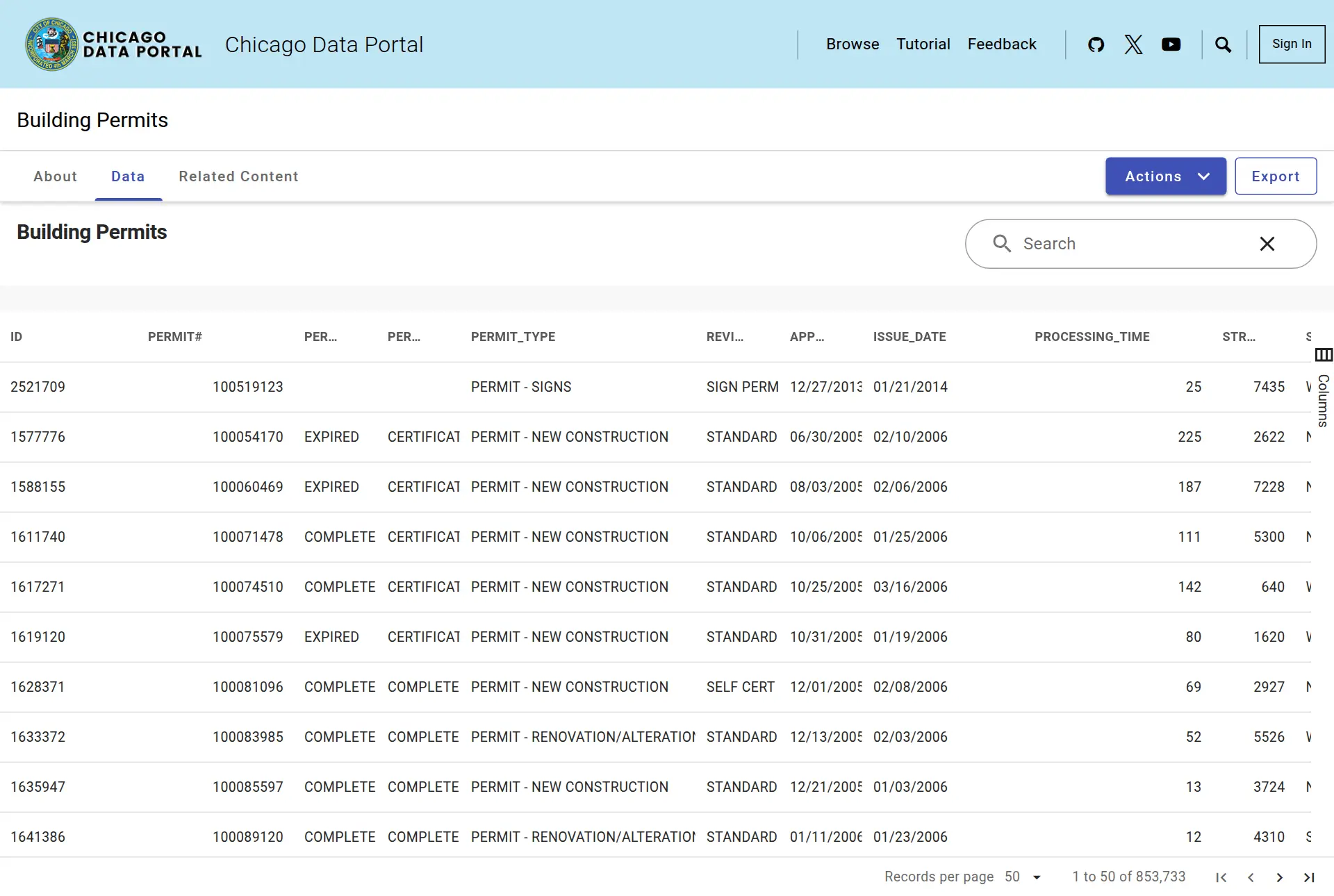
  "source_url": "https://data.cityofchicago.org/d/ydr8-5enu",
  "fetched_at": "2026-11-23T23:15:35.768272Z"
}
The scraper returned this record for the input above, reading a saved copy of the page, not the live site.
The fields of a record
citystring- The key of the city or county, e.g.
chicago. city_namestring- The city or county as it is written, e.g.
Chicago. statestring- The US state, as two letters.
permit_numberstring or null- The permit's number at the city.
typestring or null- The type of permit, in the city's own words.
workstring or null- The class or kind of work, in the city's own words, where it publishes one.
tradestring or null- The trade:
electrical,plumbing,mechanical,roofing,solar,elevator,fire,demolition,signsorbuilding. The city's own trade where it publishes one, otherwise worked out from the type and the work; null when they do not say. statusstring or null- The permit's status, in the city's own words. Null where the city does not publish one.
issue_datestring or null- The day the permit was issued,
YYYY-MM-DD. application_datestring or null- The day it was applied for,
YYYY-MM-DD, where the city publishes it. addressstring or null- The address of the property.
postal_codestring or null- The ZIP code of the property.
latitudenumber or null- The property's latitude.
longitudenumber or null- The property's longitude.
valuenumber or null- The declared value or estimated cost of the work, in US dollars.
descriptionstring or null- The description of the work, as filed.
contractor_namestring or null- The contractor's business name. Null where the city does not publish a business's name.
contractor_licensestring or null- The contractor's licence number, where the city publishes it.
source_urlstring- The city's public page for this data.
fetched_atdatetime- When the city's portal was asked, in UTC.
Units and limits
- Counted per request
- Billed per request: a run that returns data costs 1 unit, however many records it returns.
- A miss costs nothing
- A run that fails, that meets something not supported yet, or that you cancel costs nothing. You pay for runs that return data.
- What bounds a run
- A run may take up to 5 minutes. Its records are read in pages of up to 1,000 and are kept for 7 days.
What it does not do
- No private owner's or applicant's name is returned, even where the city publishes one; a contractor is returned only as a business.
- What each city publishes differs: a field it does not publish is null. Half of the cities publish no contractor, and Washington, DC's table holds the current year only.
- A contractor filter on a city that publishes no contractor ends as unsupported, and costs nothing.
The bounds its schema sets
max_results- 1 to 200; 25 unless you say otherwise
offset- 0 to 50,000; 0 unless you say otherwise
city- chicago, new_york, los_angeles, san_francisco, austin, seattle, dallas, new_orleans, cincinnati, baton_rouge, montgomery_county_md, prince_georges_county_md, norfolk, buffalo, orlando, mesa, raleigh, washington_dc, minneapolis, detroit
Questions
What does Building permits return?
The city's newest permits in one shape: number, type, trade, status, issue and application dates, address, value, description, and the contractor's business and licence where published. A record has 20 fields, among them city, city_name, state, permit_number, type and work. A value that could not be read is null, never an empty string or a zero.
What do I send?
A US city or county, and optionally dates, an address, a contractor, a permit number or a word. The input city is required. Optional: address, max_results, offset, issued_from, issued_to, permit_number, keyword and contractor.
How is it counted?
Billed per request: a run that returns data costs 1 unit, however many records it returns. A run that fails, that meets something not supported yet, or that you cancel costs nothing. The first 1,000 units each month are free.
How much does one run return?
Its schema sets these bounds: max_results 1 to 200 (25 unless you say otherwise); offset 0 to 50,000 (0 unless you say otherwise); city chicago, new_york, los_angeles, san_francisco, austin, seattle, dallas, new_orleans, cincinnati, baton_rouge, montgomery_county_md, prince_georges_county_md, norfolk, buffalo, orlando, mesa, raleigh, washington_dc, minneapolis, detroit. A run may take up to 5 minutes.
What does it not do?
No private owner's or applicant's name is returned, even where the city publishes one; a contractor is returned only as a business. What each city publishes differs: a field it does not publish is null. Half of the cities publish no contractor, and Washington, DC's table holds the current year only. A contractor filter on a city that publishes no contractor ends as unsupported, and costs nothing.
How long are the records kept, and in what format do they come?
Records are kept for 7 days after the run ended, and read in pages of up to 1,000. They come as JSON, as NDJSON with one record a line, or as CSV with a column for each field.
Can an AI assistant call it?
Yes. Through the EnrichedNow MCP server an assistant calls the tool run_scraper with the scraper_id permits.search and the same input. It costs what the same API call costs.
Used in these playbooks
A playbook runs Building permits as one of its steps and hands back the finished list. Its runs of this scraper cost what they cost here, and the playbook adds nothing.
Real estate
Permit Status Watch
Building permits in a US city read again on a schedule, with each status change and each newly issued permit.
Real estate
Permit Trade Leads
Building permits just issued for your trades in a US city, with each job's contractor, or the busiest contractors ranked.
Real estate
Property Distress Signals
Properties in a US city with recent code violations, distress permits or a stale listing, stacked by address and ranked.
Building permits
US building permits and code-enforcement cases from the official open data of 20 cities and counties, in one record shape, by property, never naming an owner.
Code enforcement cases
permits.code_casesA US city or county, and optionally dates, an address, a case number or a word. The city's newest code cases and building violations by property: number, type, code section, status, opened and closed dates, address and description.
Building permits on the line-up
- Industry
- Government and public records
- Where
- United States
Run it on an input of your own.
Create an account, make a key, and send the request above with your own input. The first 1,000 units each month are free.