Scraper API
npm
npm.packageAvailable
npm package
Its description, latest version, distribution tags, licence, keywords, links, maintainers, dependencies, size, its versions with the date of each, and its downloads in the last day, week and month.
Give it a package's name, with its scope when it has one, or its address on npmjs.com.
1 unit a run, for runs that return data. Runs that fail cost nothing. How units work
- Counted
- 1 unit a run
- Inputs
- 3, 1 required
- Record
- 30 fields
- A run takes
- up to 5 minutes
- Records kept
- 7 days
- Measured
- its success, on the status page
POST/v1/scrapers/npm.package/runs
sent, and answered
a record of the run30 fields
ok1 unit a run
A record this scraper returned for this input. The first 9 of its 30 fields are set down here; the whole record is below.
What it is used for
- Check a dependency's health
latest_published_at,deprecatedand the maintainers listed say whether a package you build on is still looked after.- Measure adoption
- Downloads of the last day, week and month, with the number of versions published, to compare packages that do the same job.
- Audit what you install
- The licence, the runtime and peer dependencies, the engines and the unpacked size of the latest version, before it goes into your build.
What you send
A package's name, with its scope when it has one, or its address on npmjs.com. These are its 3 inputs, as its schema has them.
packagestring Required- The package's name, such as react or @types/node, or its address on npmjs.com.
max_versionsinteger Optional- Return this many of its versions, newest first: 20 unless you say otherwise, up to 1,000; 0 returns none.Default
20 include_readmeboolean Optional- true also returns the package's README as written.Default
false
A request, ready to send
It starts a run with the input shown at the top of this page, waits up to 60 seconds for it, and reads its records. Put your key in the variable it reads.
# Start a run and wait up to 60 seconds for it to finish
curl -X POST "https://api.enrichednow.com/v1/scrapers/npm.package/runs?wait=60" \
  -H "Authorization: Bearer $ENRICHEDNOW_API_KEY" \
  -H "Content-Type: application/json" \
  -d '{"input":{"package":"is-odd","max_versions":3}}'

# Read its records, with the id the first call answered
curl "https://api.enrichednow.com/v1/runs/$RUN_ID/records?limit=100" \
  -H "Authorization: Bearer $ENRICHEDNOW_API_KEY"
from enrichednow import EnrichedNow
client = EnrichedNow() # reads ENRICHEDNOW_API_KEY
# Start a run, wait for it to end, and get its records
result = client.scrape("npm.package", {
"package": "is-odd",
"max_versions": 3,
})
print(result.run.id, result.run.status, result.run.record_count)
# Read its records: pages are fetched as you go
for record in result.records:
print(record)Install it with pip install enrichednow, then save as run.py and run python3 run.py
import EnrichedNow from "enrichednow";

const client = new EnrichedNow(); // reads ENRICHEDNOW_API_KEY

// Start a run, wait for it to end, and get its records
const { run, records } = await client.scrape("npm.package", {
  package: "is-odd",
  max_versions: 3,
});
console.log(run.id, run.status, run.record_count);

// Read its records: pages are fetched as you go
for await (const record of records) console.log(record);
Install it with npm install enrichednow, then save as run.mjs and run node run.mjs
package main

import (
	"context"
	"fmt"
	"log"
	"time"

	enrichednow "github.com/enrichednow/enrichednow-go"
)

func main() {
	client, err := enrichednow.NewClient() // reads ENRICHEDNOW_API_KEY
	if err != nil {
		log.Fatal(err)
	}
	ctx, cancel := context.WithTimeout(context.Background(), 10*time.Minute)
	defer cancel()

	// Start a run, wait for it to end, and get its records
	run, records, err := client.Scrape(ctx, "npm.package", map[string]any{"package": "is-odd", "max_versions": 3})
	if err != nil {
		log.Fatal(err)
	}
	fmt.Println(run.ID, run.Status, run.RecordCount)

	// Read its records: pages are fetched as you go
	for records.Next() {
		fmt.Println(string(records.Current()))
	}
	if err := records.Err(); err != nil {
		log.Fatal(err)
	}
}
Install it with go get github.com/enrichednow/enrichednow-go@latest, then save as run.go and run go run run.go
import com.enrichednow.EnrichedNowClient;
import com.enrichednow.ScrapeResult;
import java.util.Map;

public class Run {
    public static void main(String[] args) {
        EnrichedNowClient client = EnrichedNowClient.fromEnv(); // reads ENRICHEDNOW_API_KEY

        // Start a run, wait for it to end, and get its records
        ScrapeResult result = client.scrape("npm.package", Map.of("package", "is-odd", "max_versions", 3));
        System.out.println(result.run().id() + " " + result.run().status() + " " + result.run().recordCount());

        // Read its records: pages are fetched as you go
        for (Map<String, Object> record : result.records()) {
            System.out.println(record);
        }
    }
}
Add com.enrichednow:enrichednow-java:0.4.0 to your Maven or Gradle build, then save as Run.java
enrichednow run npm.package --input package=is-odd --input max_versions=3Install it with curl -fsSL https://raw.githubusercontent.com/enrichednow/enrichednow-cli/main/install.sh | sh
What comes back
Its description, latest version, distribution tags, licence, keywords, links, maintainers, dependencies, size, its versions with the date of each, and its downloads in the last day, week and month. A record has 30 fields. One we could not read is null, never an empty string or a zero.
{
  "name": "is-odd",
  "url": "https://www.npmjs.com/package/is-odd",
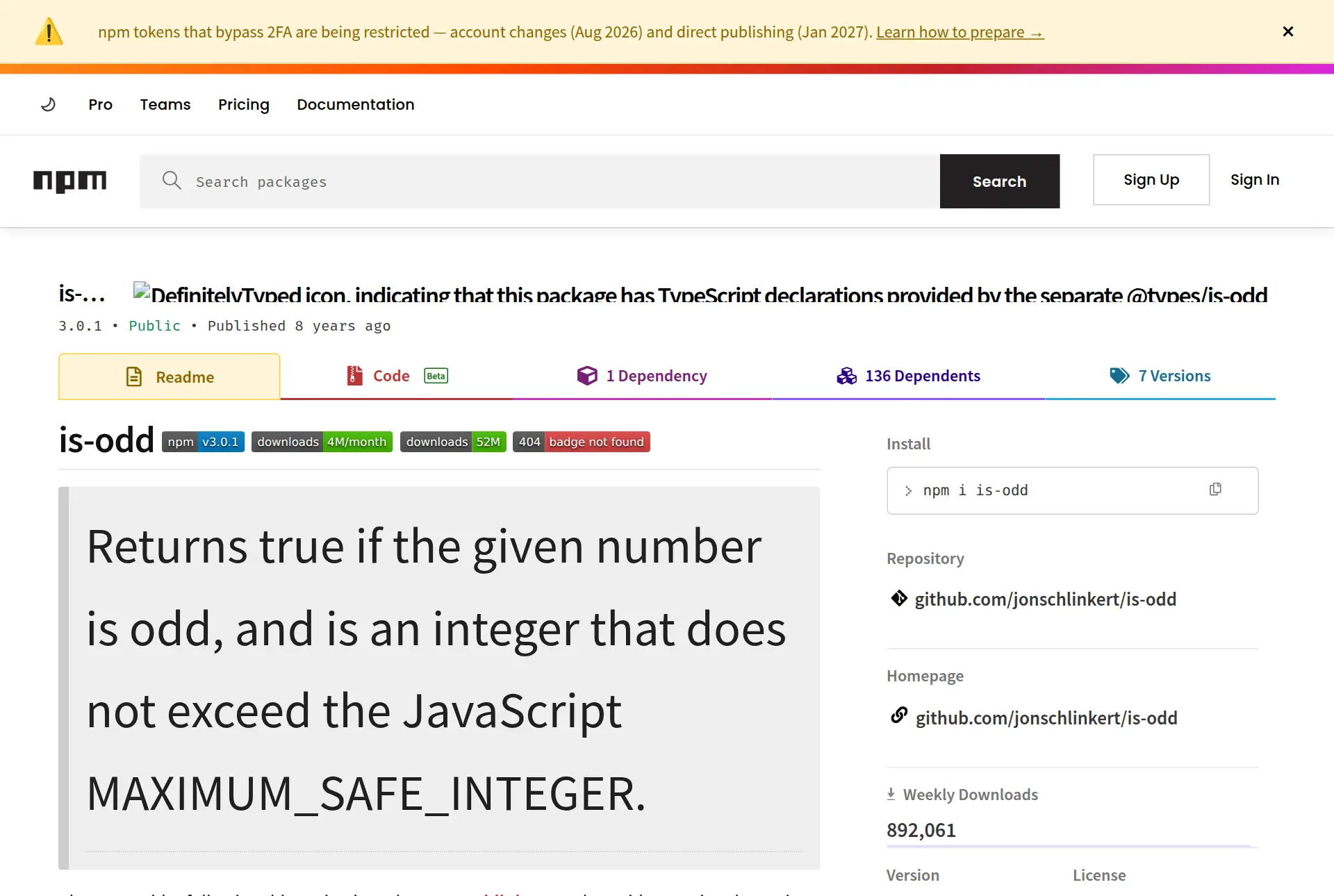
  "description": "Returns true if the given number is odd, and is an integer that does not exceed the JavaScript MAXIMUM_SAFE_INTEGER.",
  "latest_version": "3.0.1",
  "dist_tags": {
    "latest": "3.0.1"
  },
  "license": "MIT",
  "keywords": [
    "array",
    "count",
    "even"
  ],
  "homepage": "https://github.com/jonschlinkert/is-odd",
  "repository": "https://github.com/jonschlinkert/is-odd",
  "bugs_url": "https://github.com/jonschlinkert/is-odd/issues",
  "author": "Jon Schlinkert",
  "maintainers": [
    "doowb",
    "jonschlinkert"
  ],
  "created_at": "2015-02-24T05:53:13.392000Z",
  "modified_at": "2026-04-14T14:26:11.557000Z",
  "latest_published_at": "2018-05-31T20:04:53.306000Z",
  "version_count": 7,
  "versions": [
    {
      "version": "3.0.1",
      "published_at": "2018-05-31T20:04:53.306000Z",
      "deprecated": null
    },
    {
      "version": "3.0.0",
      "published_at": "2018-05-30T18:00:55.554000Z",
      "deprecated": null
    }
  ],
  "dependencies": {
    "is-number": "^6.0.0"
  },
  "peer_dependencies": {},
  "engines": {
    "node": ">=4"
  },
  "unpacked_size_bytes": 6510,
  "file_count": 4,
  "tarball_url": "https://registry.npmjs.org/is-odd/-/is-odd-3.0.1.tgz",
  "deprecated": null,
  "readme": null,
  "downloads_last_day": 166526,
  "downloads_last_week": 1076767,
  "downloads_last_month": 4000915,
  "downloads_until": "2026-11-17",
  "fetched_at": "2026-11-19T18:07:41.017882Z"
}
The scraper returned this record for the input above, reading a saved copy of the page, not the live site.
Values shortened for this page: keywords: 10 items, the first 3 shown; versions: 3 items, the first 2 shown.
The fields of a record
namestring- The package's name, with its scope when it has one, e.g. "@types/node".
urlstring- The package's page on npmjs.com.
descriptionstring or null- The package's one-line description.
latest_versionstring or null- The version the latest tag points to: what a plain install gets.
dist_tagsobject- The package's distribution tags and the version each points to, e.g. {"latest": "19.2.0", "next": "19.3.0-canary"}.
licensestring or null- The licence the latest version declares, e.g. "MIT".
keywordslist of strings- The keywords the latest version declares.
homepagestring or null- The website the package names.
repositorystring or null- The source repository's address, as a web address where the package wrote a git one.
bugs_urlstring or null- Where the package asks for bug reports.
authorstring or null- The author's name as the package states it.
maintainerslist of strings- The npm usernames of the accounts that can publish the package.
created_atdatetime or null- When the package was first published, in UTC.
modified_atdatetime or null- When the package's entry in the registry last changed, in UTC.
latest_published_atdatetime or null- When the latest version was published, in UTC.
version_countinteger or null- How many versions the package has published; null when the version list could not be read.
versionslist of objects- The newest versions first, as many as max_versions asked for. Empty when the version list could not be read.
dependenciesobject- The latest version's runtime dependencies and the version range of each.
peer_dependenciesobject- The latest version's peer dependencies and the version range of each.
enginesobject- The runtimes the latest version says it needs, e.g. {"node": ">=18"}.
unpacked_size_bytesinteger or null- The size of the latest version once unpacked, in bytes.
file_countinteger or null- How many files the latest version holds.
tarball_urlstring or null- The address the latest version's archive downloads from.
deprecatedstring or null- The maintainers' notice when the latest version is deprecated; null when it is not.
readmestring or null- The package's README as written, when include_readme asked for it and the registry holds one.
downloads_last_dayinteger or null- Downloads on the last day npm has counted (downloads_until).
downloads_last_weekinteger or null- Downloads in the seven days up to downloads_until.
downloads_last_monthinteger or null- Downloads in the thirty days up to downloads_until.
downloads_untilstring or null- The last day the download counts include, as YYYY-MM-DD: usually the day before yesterday.
fetched_atdatetime- When the package was read, in UTC.
Units and limits
- Counted per request
- Billed per request: a run that returns data costs 1 unit, however many records it returns.
- A miss costs nothing
- A run that fails, that meets something not supported yet, or that you cancel costs nothing. You pay for runs that return data.
- What bounds a run
- A run may take up to 5 minutes. Its records are read in pages of up to 1,000 and are kept for 7 days.
What it does not do
- A few very large packages publish so many versions that their version list cannot be read in one run: the record then has the latest version's details and the download counts, no version list, and the run ends partial with the reason versions_not_read.
- Maintainers are returned by their npm usernames. Email addresses are not returned.
- Download counts are npm's own, and end a day or two before today.
The bounds its schema sets
max_versions- 0 to 1,000; 20 unless you say otherwise
Questions
What does npm package return?
Its description, latest version, distribution tags, licence, keywords, links, maintainers, dependencies, size, its versions with the date of each, and its downloads in the last day, week and month. A record has 30 fields, among them name, url, description, latest_version, dist_tags and license. A value that could not be read is null, never an empty string or a zero.
What do I send?
A package's name, with its scope when it has one, or its address on npmjs.com. The input package is required. Optional: max_versions and include_readme.
How is it counted?
Billed per request: a run that returns data costs 1 unit, however many records it returns. A run that fails, that meets something not supported yet, or that you cancel costs nothing. The first 1,000 units each month are free.
How much does one run return?
Its schema sets these bounds: max_versions 0 to 1,000 (20 unless you say otherwise). A run may take up to 5 minutes.
What does it not do?
A few very large packages publish so many versions that their version list cannot be read in one run: the record then has the latest version's details and the download counts, no version list, and the run ends partial with the reason versions_not_read. Maintainers are returned by their npm usernames. Email addresses are not returned. Download counts are npm's own, and end a day or two before today.
How long are the records kept, and in what format do they come?
Records are kept for 7 days after the run ended, and read in pages of up to 1,000. They come as JSON, as NDJSON with one record a line, or as CSV with a column for each field.
Can an AI assistant call it?
Yes. Through the EnrichedNow MCP server an assistant calls the tool run_scraper with the scraper_id npm.package and the same input. It costs what the same API call costs.
npm
Packages of the npm registry: a package's details, versions and download counts, and the registry's search.
npm search
npm.searchWords to search for; npm's own qualifiers such as keywords:cli or author:sindresorhus work too. A page of the packages found: name, latest version, description, keywords, licence, publisher, links, weekly and monthly downloads, and how many packages depend on it.
- Industry
- Code and research
- Where
- Worldwide
Run it on an input of your own.
Create an account, make a key, and send the request above with your own input. The first 1,000 units each month are free.