Scraper API
Google Maps
google.maps_reviewsAvailable
Google Maps reviews
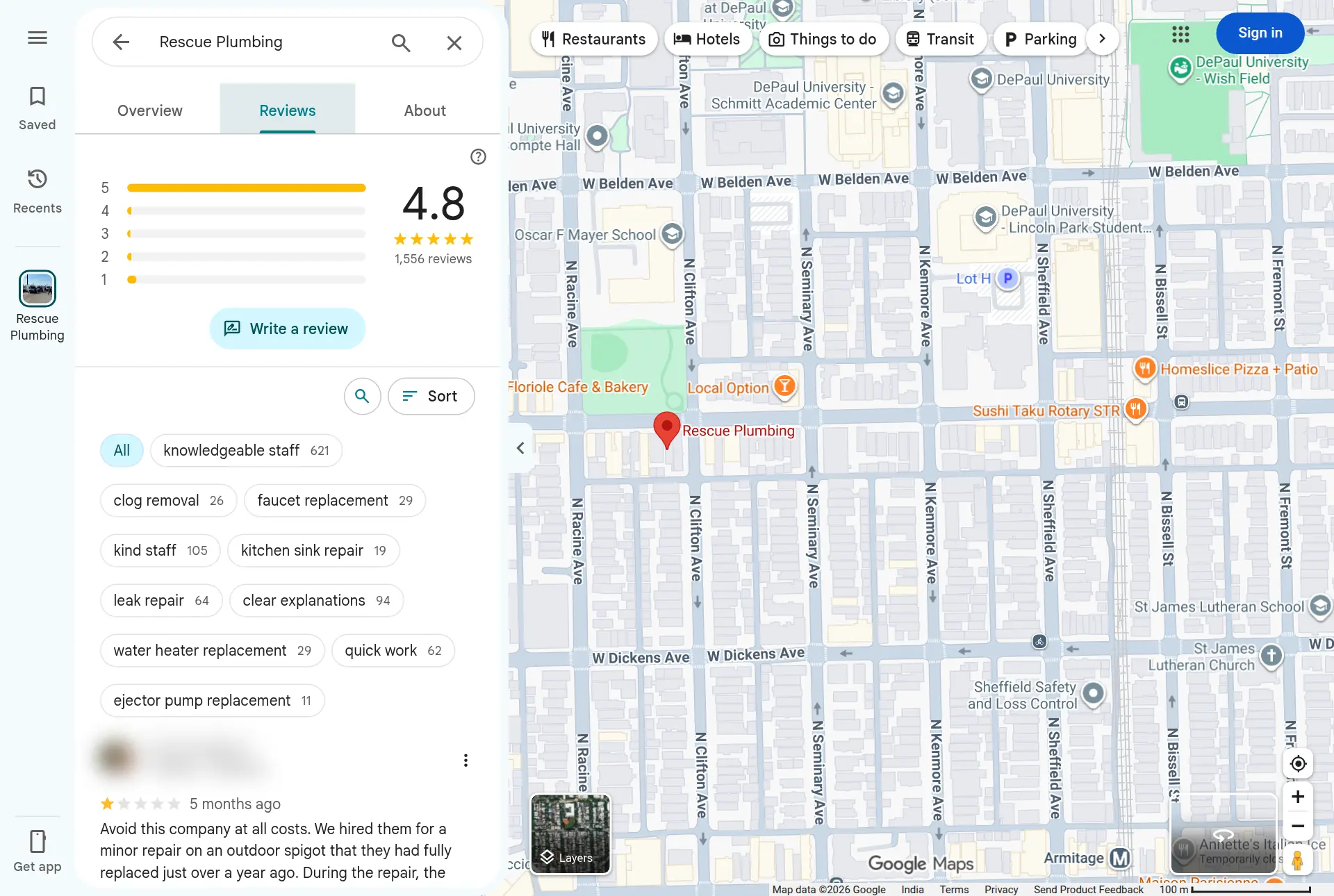
The reviews the place's page shows a visitor who is not signed in: stars, text, the original text when it was translated, date, the owner's reply and its date, number of photos, and the review's byline.
Give it One place on Google Maps: its place id, the address of its page, its data id or its cid number.
1 unit a record, for runs that return data. Runs that fail cost nothing. How units work
- Counted
- 1 unit a record
- Inputs
- 6
- Record
- 19 fields
- A run takes
- up to 5 minutes
- Records kept
- 7 days
- Measured
- its success, on the status page
POST/v1/scrapers/google.maps_reviews/runs
sent, and answered
a record of the run19 fields
ok1 unit a record
A record this scraper returned for this input. The first 9 of its 19 fields are set down here; the whole record is below.
What it is used for
- Read a place's reviews
- The reviews of a place on Google Maps: rating, text, when it was written, and the owner's reply where there is one.
- Answer the ones waiting
- List the reviews with no
owner_replyacross your locations and work through them, newest first. - Compare locations
- Read the reviews of each branch and see which one is praised for service and which is marked down for waiting.
What you send
One place on Google Maps: its place id, the address of its page, its data id or its cid number. These are its 6 inputs, as its schema has them.
place_idstring One of the four- The place's id on Google Maps. It starts with ChIJ; the search scraper returns it for every place.
urlstring One of the four- The address of the place's page instead: the long one a browser shows on the place's page, or a short maps.app.goo.gl link.
data_idstring One of the four- The place's data id instead: two numbers written as 0x…:0x….
cidstring One of the four- The place's cid number instead.
languagestring Optional- The language of the page, as a code such as en or fr. en unless you say otherwise.Default
en max_resultsinteger Optional- Return at most this many reviews.Default
20
A request, ready to send
It starts a run with the input shown at the top of this page, waits up to 60 seconds for it, and reads its records. Put your key in the variable it reads.
# Start a run and wait up to 60 seconds for it to finish
curl -X POST "https://api.enrichednow.com/v1/scrapers/google.maps_reviews/runs?wait=60" \
  -H "Authorization: Bearer $ENRICHEDNOW_API_KEY" \
  -H "Content-Type: application/json" \
  -d '{"input":{"place_id":"ChIJkaUn1JPTD4gR7ZWpE9cCuow"}}'

# Read its records, with the id the first call answered
curl "https://api.enrichednow.com/v1/runs/$RUN_ID/records?limit=100" \
  -H "Authorization: Bearer $ENRICHEDNOW_API_KEY"
from enrichednow import EnrichedNow
client = EnrichedNow() # reads ENRICHEDNOW_API_KEY
# Start a run, wait for it to end, and get its records
result = client.scrape("google.maps_reviews", {
"place_id": "ChIJkaUn1JPTD4gR7ZWpE9cCuow",
})
print(result.run.id, result.run.status, result.run.record_count)
# Read its records: pages are fetched as you go
for record in result.records:
print(record)Install it with pip install enrichednow, then save as run.py and run python3 run.py
import EnrichedNow from "enrichednow";

const client = new EnrichedNow(); // reads ENRICHEDNOW_API_KEY

// Start a run, wait for it to end, and get its records
const { run, records } = await client.scrape("google.maps_reviews", {
  place_id: "ChIJkaUn1JPTD4gR7ZWpE9cCuow",
});
console.log(run.id, run.status, run.record_count);

// Read its records: pages are fetched as you go
for await (const record of records) console.log(record);
Install it with npm install enrichednow, then save as run.mjs and run node run.mjs
package main

import (
	"context"
	"fmt"
	"log"
	"time"

	enrichednow "github.com/enrichednow/enrichednow-go"
)

func main() {
	client, err := enrichednow.NewClient() // reads ENRICHEDNOW_API_KEY
	if err != nil {
		log.Fatal(err)
	}
	ctx, cancel := context.WithTimeout(context.Background(), 10*time.Minute)
	defer cancel()

	// Start a run, wait for it to end, and get its records
	run, records, err := client.Scrape(ctx, "google.maps_reviews", map[string]any{"place_id": "ChIJkaUn1JPTD4gR7ZWpE9cCuow"})
	if err != nil {
		log.Fatal(err)
	}
	fmt.Println(run.ID, run.Status, run.RecordCount)

	// Read its records: pages are fetched as you go
	for records.Next() {
		fmt.Println(string(records.Current()))
	}
	if err := records.Err(); err != nil {
		log.Fatal(err)
	}
}
Install it with go get github.com/enrichednow/enrichednow-go@latest, then save as run.go and run go run run.go
import com.enrichednow.EnrichedNowClient;
import com.enrichednow.ScrapeResult;
import java.util.Map;

public class Run {
    public static void main(String[] args) {
        EnrichedNowClient client = EnrichedNowClient.fromEnv(); // reads ENRICHEDNOW_API_KEY

        // Start a run, wait for it to end, and get its records
        ScrapeResult result = client.scrape("google.maps_reviews", Map.of("place_id", "ChIJkaUn1JPTD4gR7ZWpE9cCuow"));
        System.out.println(result.run().id() + " " + result.run().status() + " " + result.run().recordCount());

        // Read its records: pages are fetched as you go
        for (Map<String, Object> record : result.records()) {
            System.out.println(record);
        }
    }
}
Add com.enrichednow:enrichednow-java:0.4.0 to your Maven or Gradle build, then save as Run.java
enrichednow run google.maps_reviews --input place_id=ChIJkaUn1JPTD4gR7ZWpE9cCuowInstall it with curl -fsSL https://raw.githubusercontent.com/enrichednow/enrichednow-cli/main/install.sh | sh
What comes back
The reviews the place's page shows a visitor who is not signed in: stars, text, the original text when it was translated, date, the owner's reply and its date, number of photos, and the review's byline. A record has 19 fields. One we could not read is null, never an empty string or a zero.
{
  "place_name": "Rescue Plumbing",
  "place_id": "ChIJkaUn1JPTD4gR7ZWpE9cCuow",
  "position": 2,
  "review_id": "Ci9DQUlRQUNvZENodHljRjlvT21kcWFHZHNRMUl5ZUhCbk1uVTViVk42VjNRMFZGRRAB",
  "url": "https://www.google.com/maps/reviews/data=!4m8!14m7!1m6!2m5!1sCi9DQUlRQUNvZENodHljRjlvT21kcWFHZHNRMUl5ZUhCbk1uVTViVk42VjNRMFZGRRAB!2m1!1s0x0:0x8cba02d713a995ed!3m1!1s2@1:CAIQACodChtycF9oOmdqaGdsQ1IyeHBnMnU5bVN6V3Q0VFE%7C%7C?hl=en-US",
  "rating": 5,
  "text": "I could not be more pleased over my experience with this company.  I called several  plumbing companies about a leaking toilet problem.  After speaking with many of them and reading reviews, I went with Rescue.  Right choice.\n\nThey were … [truncated]",
  "original_text": null,
  "language": "en",
  "published": "a month ago",
  "published_at": "2026-10-07T23:39:36Z",
  "edited_at": null,
  "photos_count": 0,
  "owner_reply": null,
  "owner_reply_at": "2026-10-08T08:13:30Z",
  "reviewer_name": null,
  "reviewer_url": null,
  "source": null,
  "fetched_at": "2026-11-19T18:07:40.526476Z"
}
The scraper returned this record for the input above, reading a saved copy of the page, not the live site.
Values shortened for this page: text: 1,524 characters, the first 236 shown.
Values withheld: reviewer_name: it is a person's name; reviewer_url: it is a person's profile; owner_reply: it addresses the reviewer by name.
The fields of a record
place_namestring- The name of the place the review is about.
place_idstring or null- Google's place id of that place (
ChIJ…). positioninteger- The review's rank among the ones the page shows, from 1.
review_idstring- Google's id of the review.
urlstring or null- The review's own page on Google Maps.
ratinginteger or null- The stars given, 1 to 5.
textstring or null- The review's text as the page shows it: translated into the page's language when Google Maps translated it. Null for a rating without words.
original_textstring or null- The text as it was written, when
textis a translation; null otherwise. languagestring or null- The language the review was written in, as a code, e.g.
de. publishedstring or null- When the review was written, as the page words it, e.g.
5 months ago. published_atdatetime or null- When the review was written, in UTC.
edited_atdatetime or null- When the review was last edited, in UTC; null when it never was.
photos_countinteger- The number of photos attached to the review.
owner_replystring or null- The business's reply to the review, when it wrote one.
owner_reply_atdatetime or null- When the business replied, in UTC.
reviewer_namestring or null- The name the review is signed with, as the page shows it.
reviewer_urlstring or null- The public profile the review's signature links to on Google Maps.
sourcestring or null- The partner site the review was collected on, as Google Maps names it, e.g.
Tripadvisor; null for a review written on Google Maps itself. fetched_atdatetime- When the reviews were read, in UTC.
Units and limits
- Counted per record
- Billed per record: a run that returns data costs 1 unit for each record it returns.
- A miss costs nothing
- A run that fails, that meets something not supported yet, or that you cancel costs nothing. You pay for runs that return data.
- What bounds a run
- A run may take up to 5 minutes. Its records are read in pages of up to 1,000 and are kept for 7 days.
What it does not do
- Google Maps shows a visitor who is not signed in only a few reviews of a place, five to eight as a rule: the ones it ranks most relevant. That is what a run returns; the rest are behind a sign-in and are not read.
- There is no sort order to choose and no further page, for the same reason.
- The byline is the display name and the public profile link the page prints with the review. Nothing else is read about a reviewer.
The bounds its schema sets
max_results- 1 to 20; 20 unless you say otherwise
Questions
What does Google Maps reviews return?
The reviews the place's page shows a visitor who is not signed in: stars, text, the original text when it was translated, date, the owner's reply and its date, number of photos, and the review's byline. A record has 19 fields, among them place_name, place_id, position, review_id, url and rating. A value that could not be read is null, never an empty string or a zero.
What do I send?
One place on Google Maps: its place id, the address of its page, its data id or its cid number. Of place_id, url, data_id and cid, send one of the four. Optional: language and max_results.
How is it counted?
Billed per record: a run that returns data costs 1 unit for each record it returns. A run that fails, that meets something not supported yet, or that you cancel costs nothing. The first 1,000 units each month are free.
How much does one run return?
Its schema sets these bounds: max_results 1 to 20 (20 unless you say otherwise). A run may take up to 5 minutes.
What does it not do?
Google Maps shows a visitor who is not signed in only a few reviews of a place, five to eight as a rule: the ones it ranks most relevant. That is what a run returns; the rest are behind a sign-in and are not read. There is no sort order to choose and no further page, for the same reason. The byline is the display name and the public profile link the page prints with the review. Nothing else is read about a reviewer.
How long are the records kept, and in what format do they come?
Records are kept for 7 days after the run ended, and read in pages of up to 1,000. They come as JSON, as NDJSON with one record a line, or as CSV with a column for each field.
Can an AI assistant call it?
Yes. Through the EnrichedNow MCP server an assistant calls the tool run_scraper with the scraper_id google.maps_reviews and the same input. It costs what the same API call costs.
Google Maps
Places on Google Maps as a visitor who is not signed in sees them: the list for a search, one place in full, and the reviews its page shows.
Google Maps search
google.maps_searchWhat to look for, and where: a kind of place and a city, a neighbourhood or a postcode. The places Google Maps lists for the search, in its order, up to a few hundred: name, categories, the address and its parts, phone, website, rating, number of reviews, opening hours, coordinates and the ids Google Maps gives the place.
Google Maps place
google.maps_placeOne place on Google Maps: its place id, the address of its page, its data id or its cid number. What the place's page says: name, categories, the address and its parts, coordinates, plus code, phone, website, rating, number of reviews and how they split by stars, opening hours for each day, the About tab, photos, links to book or order, and whether it is permanently closed.
- Industry
- Travel, food and places
- Where
- Worldwide
Run it on an input of your own.
Create an account, make a key, and send the request above with your own input. The first 1,000 units each month are free.