Scraper API
Google Ads Transparency Center
google_ads.adsAvailable
Google Ads Transparency Center ads
The ads the center lists: each ad's id, advertiser, format, first and last time shown, its picture or preview, and its page in the center.
Give it an advertiser's id in the center, or a website; a country and a format, optionally.
1 unit a record, for runs that return data. Runs that fail cost nothing. How units work
- Counted
- 1 unit a record
- Inputs
- 5
- Record
- 12 fields
- A run takes
- up to 5 minutes
- Records kept
- 7 days
- Measured
- its success, on the status page
POST/v1/scrapers/google_ads.ads/runs
sent, and answered
a record of the run12 fields
ok1 unit a record
A record this scraper returned for this input. The first 9 of its 12 fields are set down here; the whole record is below.
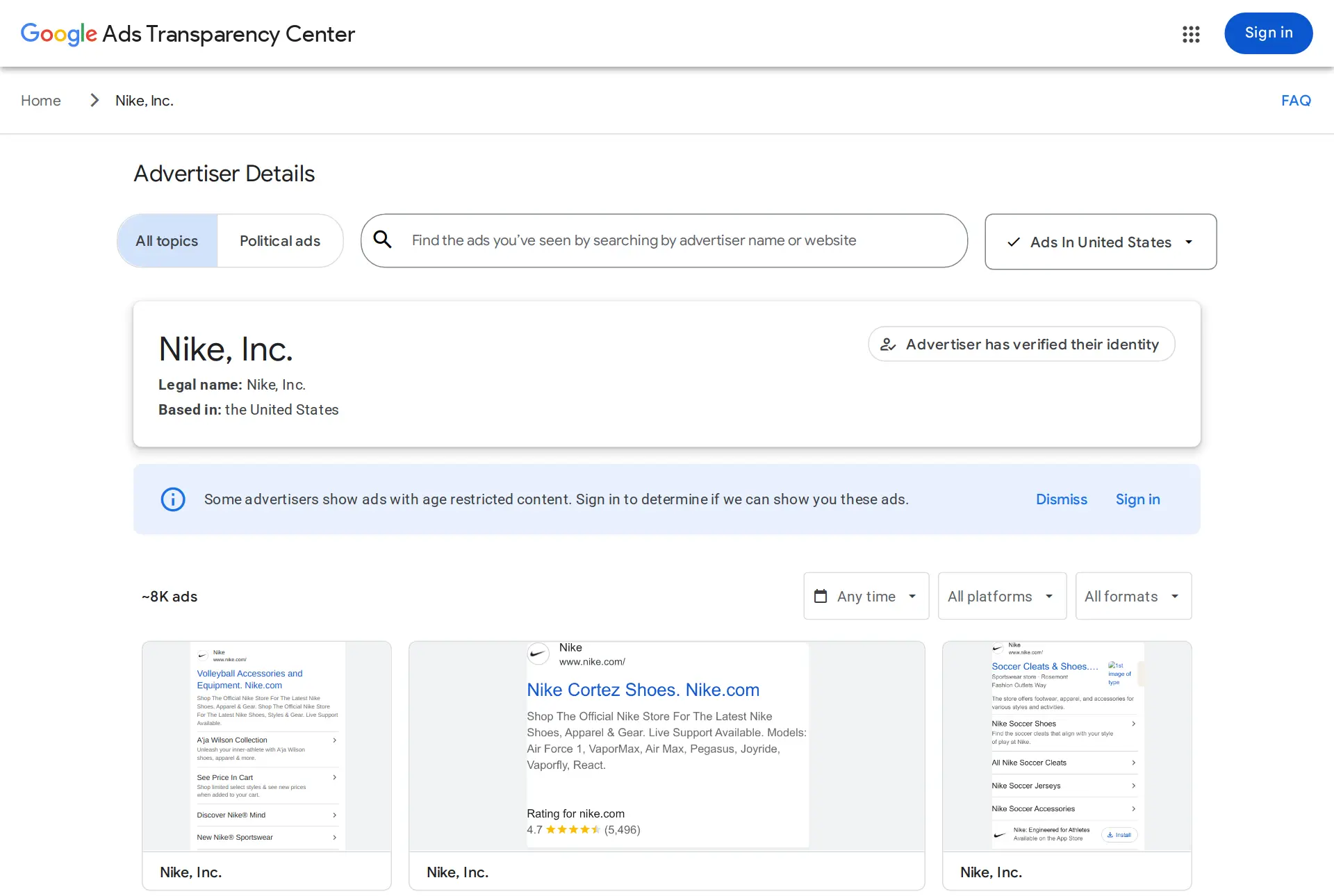
What it is used for
- Watch a competitor's new ads
- List a competitor's ads in your country each week and keep those whose
first_shownis new, with their format and picture. - See which formats a brand uses
- Count a brand's ads by
formatin each country you sell in, to see where it runs video and where text. - Track ads that point to a site
- List the ads that link to a website by
domain, whoever placed them, and keep their advertisers and dates.
What you send
An advertiser's id in the center, or a website; a country and a format, optionally. These are its 5 inputs, as its schema has them.
advertiser_idstring Optional- The id google_ads.advertisers gives, such as AR16735076323512287233.
domainstring Optional- A website instead, such as nike.com: the ads that link to it.
countrystring Optional- A country code, such as US, GB or DE: the ads shown there. Anywhere when left out.
formatstring Optional- text, image or video. Every format when left out.
max_resultsinteger Optional- The most ads to return: 1 to 400, 40 unless you say otherwise.Default
40
A request, ready to send
It starts a run with the input shown at the top of this page, waits up to 60 seconds for it, and reads its records. Put your key in the variable it reads.
# Start a run and wait up to 60 seconds for it to finish
curl -X POST "https://api.enrichednow.com/v1/scrapers/google_ads.ads/runs?wait=60" \
  -H "Authorization: Bearer $ENRICHEDNOW_API_KEY" \
  -H "Content-Type: application/json" \
  -d '{"input":{"advertiser_id":"AR16735076323512287233","country":"US"}}'

# Read its records, with the id the first call answered
curl "https://api.enrichednow.com/v1/runs/$RUN_ID/records?limit=100" \
  -H "Authorization: Bearer $ENRICHEDNOW_API_KEY"
from enrichednow import EnrichedNow
client = EnrichedNow() # reads ENRICHEDNOW_API_KEY
# Start a run, wait for it to end, and get its records
result = client.scrape("google_ads.ads", {
"advertiser_id": "AR16735076323512287233",
"country": "US",
})
print(result.run.id, result.run.status, result.run.record_count)
# Read its records: pages are fetched as you go
for record in result.records:
print(record)Install it with pip install enrichednow, then save as run.py and run python3 run.py
import EnrichedNow from "enrichednow";

const client = new EnrichedNow(); // reads ENRICHEDNOW_API_KEY

// Start a run, wait for it to end, and get its records
const { run, records } = await client.scrape("google_ads.ads", {
  advertiser_id: "AR16735076323512287233",
  country: "US",
});
console.log(run.id, run.status, run.record_count);

// Read its records: pages are fetched as you go
for await (const record of records) console.log(record);
Install it with npm install enrichednow, then save as run.mjs and run node run.mjs
package main

import (
	"context"
	"fmt"
	"log"
	"time"

	enrichednow "github.com/enrichednow/enrichednow-go"
)

func main() {
	client, err := enrichednow.NewClient() // reads ENRICHEDNOW_API_KEY
	if err != nil {
		log.Fatal(err)
	}
	ctx, cancel := context.WithTimeout(context.Background(), 10*time.Minute)
	defer cancel()

	// Start a run, wait for it to end, and get its records
	run, records, err := client.Scrape(ctx, "google_ads.ads", map[string]any{"advertiser_id": "AR16735076323512287233", "country": "US"})
	if err != nil {
		log.Fatal(err)
	}
	fmt.Println(run.ID, run.Status, run.RecordCount)

	// Read its records: pages are fetched as you go
	for records.Next() {
		fmt.Println(string(records.Current()))
	}
	if err := records.Err(); err != nil {
		log.Fatal(err)
	}
}
Install it with go get github.com/enrichednow/enrichednow-go@latest, then save as run.go and run go run run.go
import com.enrichednow.EnrichedNowClient;
import com.enrichednow.ScrapeResult;
import java.util.Map;

public class Run {
    public static void main(String[] args) {
        EnrichedNowClient client = EnrichedNowClient.fromEnv(); // reads ENRICHEDNOW_API_KEY

        // Start a run, wait for it to end, and get its records
        ScrapeResult result = client.scrape("google_ads.ads", Map.of("advertiser_id", "AR16735076323512287233", "country", "US"));
        System.out.println(result.run().id() + " " + result.run().status() + " " + result.run().recordCount());

        // Read its records: pages are fetched as you go
        for (Map<String, Object> record : result.records()) {
            System.out.println(record);
        }
    }
}
Add com.enrichednow:enrichednow-java:0.4.0 to your Maven or Gradle build, then save as Run.java
enrichednow run google_ads.ads --input advertiser_id=AR16735076323512287233 --input country=USInstall it with curl -fsSL https://raw.githubusercontent.com/enrichednow/enrichednow-cli/main/install.sh | sh
What comes back
The ads the center lists: each ad's id, advertiser, format, first and last time shown, its picture or preview, and its page in the center. A record has 12 fields. One we could not read is null, never an empty string or a zero.
{
  "position": 1,
  "ad_id": "CR08258839007715131393",
  "advertiser_id": "AR16735076323512287233",
  "advertiser_name": "Nike, Inc.",
  "domain": null,
  "format": "image",
  "first_shown": "2026-06-11T20:20:07Z",
  "last_shown": "2026-11-19T17:56:44Z",
  "image": null,
  "preview": "https://displayads-formats.googleusercontent.com/ads/preview/content.js?client=ads-integrity-transparency&obfuscatedCustomerId=3997131519&creativeId=809459362542&uiFeatures=12,54&adGroupId=195945010799&itemIds=5003773580572119530&sig=ACiVB_wRDAYp3OKo6JBPcXmv-c_2wJwgbw&htmlParentId=fletch-render-7191434234276756796&responseCallback=fletchCallback7191434234276756796",
  "url": "https://adstransparency.google.com/advertiser/AR16735076323512287233/creative/CR08258839007715131393?region=US",
  "fetched_at": "2026-11-19T18:56:45.176592Z"
}
The scraper returned this record for the input above, reading a saved copy of the page, not the live site.
The fields of a record
positioninteger- The ad's place in the list returned, from 1.
ad_idstring- The ad's id in the center (CR…).
advertiser_idstring- The advertiser's id in the center (AR…).
advertiser_namestring or null- The advertiser's name, as the center shows it; null where that name is an email address (a person's, not returned).
domainstring or null- The website asked for, on a list by website.
formatstring or null- text, image or video, as the ad's page in the center names its format.
first_showndatetime or null- When the center says the ad was first shown, in UTC (in the region asked for, or anywhere).
last_showndatetime or null- When the center says the ad was last shown, in UTC.
imagestring or null- A picture of the ad as the center keeps it (most text ads are kept as a picture of the ad); null where the center draws the ad with a script instead.
previewstring or null- The address of the script the center draws the ad's preview with, where it does not keep a picture.
urlstring- The ad's page in the center.
fetched_atdatetime- When the list was read, in UTC.
Units and limits
- Counted per record
- Billed per record: a run that returns data costs 1 unit for each record it returns.
- A miss costs nothing
- A run that fails, that meets something not supported yet, or that you cancel costs nothing. You pay for runs that return data.
- What bounds a run
- A run may take up to 5 minutes. Its records are read in pages of up to 1,000 and are kept for 7 days.
What it does not do
- The center states the number of ads as a range; it is in the run's diagnostics.
- 400 ads a run at most, 40 a page.
The bounds its schema sets
format- image, text, video
max_results- 1 to 400; 40 unless you say otherwise
Questions
What does Google Ads Transparency Center ads return?
The ads the center lists: each ad's id, advertiser, format, first and last time shown, its picture or preview, and its page in the center. A record has 12 fields, among them position, ad_id, advertiser_id, advertiser_name, domain and format. A value that could not be read is null, never an empty string or a zero.
What do I send?
An advertiser's id in the center, or a website; a country and a format, optionally. Optional: advertiser_id, domain, country, format and max_results.
How is it counted?
Billed per record: a run that returns data costs 1 unit for each record it returns. A run that fails, that meets something not supported yet, or that you cancel costs nothing. The first 1,000 units each month are free.
How much does one run return?
Its schema sets these bounds: format image, text, video; max_results 1 to 400 (40 unless you say otherwise). A run may take up to 5 minutes.
What does it not do?
The center states the number of ads as a range; it is in the run's diagnostics. 400 ads a run at most, 40 a page.
How long are the records kept, and in what format do they come?
Records are kept for 7 days after the run ended, and read in pages of up to 1,000. They come as JSON, as NDJSON with one record a line, or as CSV with a column for each field.
Can an AI assistant call it?
Yes. Through the EnrichedNow MCP server an assistant calls the tool run_scraper with the scraper_id google_ads.ads and the same input. It costs what the same API call costs.
Used in these playbooks
A playbook runs Google Ads Transparency Center ads as one of its steps and hands back the finished list. Its runs of this scraper cost what they cost here, and the playbook adds nothing.
Marketing
Ad Creative Research
A competitor's ads on Meta, Google Ads and LinkedIn, with copy, landing page and how long each has run, longest first.
Sales
Compound Signal Score
Your target accounts scored by what they are doing now: hiring, raising, new leaders, expanding and advertising.
Google Ads Transparency Center
The Google Ads Transparency Center, the public register of advertisers and their ads: who advertises, in which countries, and each ad's format and dates.
Google Ads Transparency Center search
google_ads.advertisersAn advertiser's name or a website. The advertisers and the websites the center's search box suggests: each advertiser's id, country and number of ads.
Google Ads Transparency Center on the line-up
- Industry
- Companies and B2B
- Where
- Worldwide
Run it on an input of your own.
Create an account, make a key, and send the request above with your own input. The first 1,000 units each month are free.