Scraper API
Crypto.com
cryptocom.coinAvailable
Crypto.com coin price
Its price in US dollars and in bitcoin, the day's change, market capitalisation, volume, supply, rank, all-time high and low, tags, description and links.
Give it a coin's name on crypto.com/price, the last part of its page's address, or that address.
1 unit a run, for runs that return data. Runs that fail cost nothing. How units work
- Counted
- 1 unit a run
- Inputs
- 1, 1 required
- Record
- 31 fields
- A run takes
- up to 5 minutes
- Records kept
- 7 days
- Measured
- its success, on the status page
POST/v1/scrapers/cryptocom.coin/runs
sent, and answered
a record of the run31 fields
ok1 unit a run
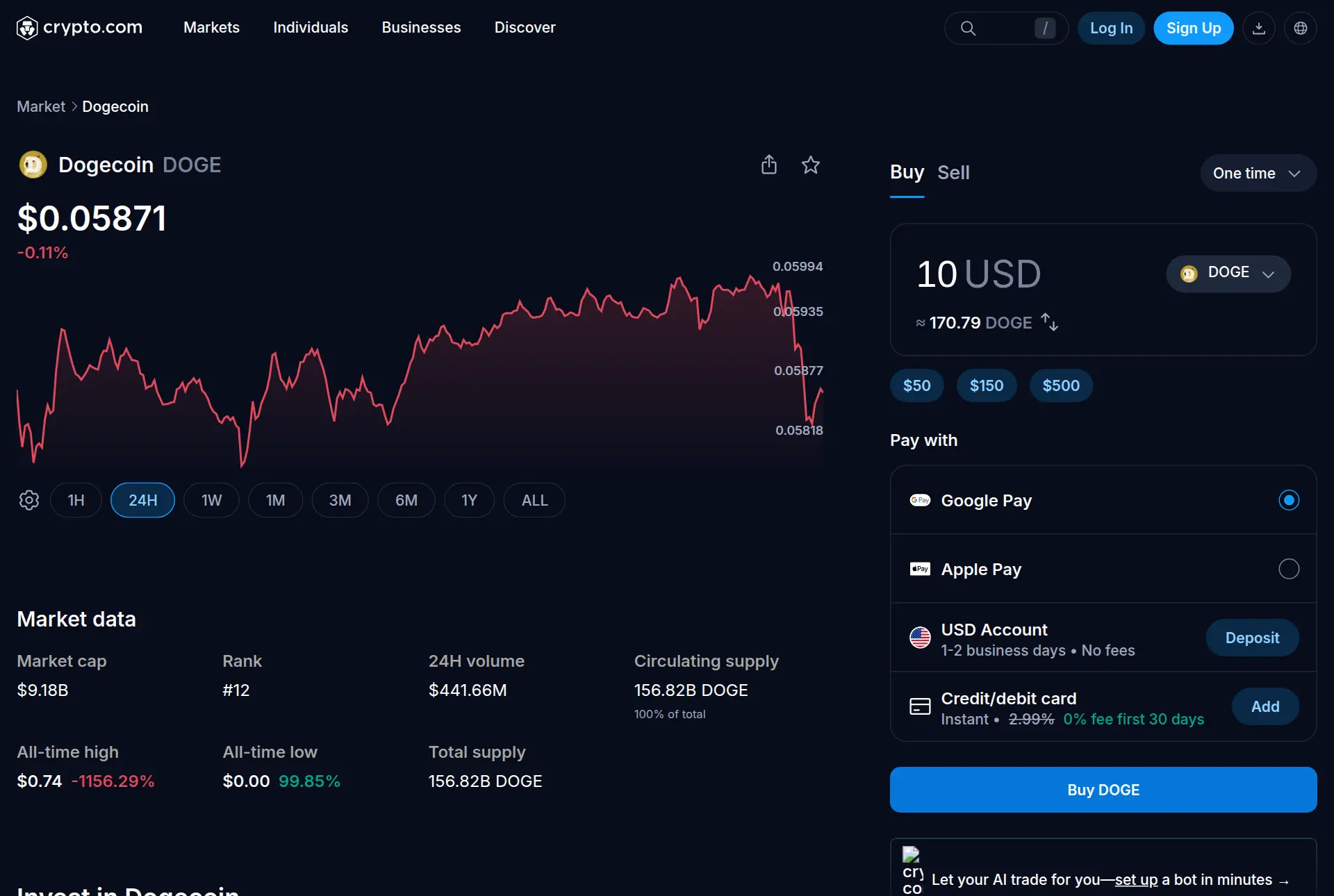
A record this scraper returned for this input. The first 9 of its 31 fields are set down here; the whole record is below.
What it is used for
- Quote a coin in dollars and bitcoin
- Read
price_usdandprice_btcwith the day's change, market capitalisation and volume over a day and over 30 days. - Describe a coin
- Its
description,tags, website, whitepaper, explorers and social links, as crypto.com's public price page shows them. - Measure a coin against its record
- Set the price against
ath_usdandatl_usdwith their dates, and the supply againstmax_supply.
What you send
A coin's name on crypto.com/price, the last part of its page's address, or that address. It is the one input.
coinstring Required- The coin's name in its page's address, such as bitcoin or dogecoin; or that address.
A request, ready to send
It starts a run with the input shown at the top of this page, waits up to 60 seconds for it, and reads its records. Put your key in the variable it reads.
# Start a run and wait up to 60 seconds for it to finish
curl -X POST "https://api.enrichednow.com/v1/scrapers/cryptocom.coin/runs?wait=60" \
  -H "Authorization: Bearer $ENRICHEDNOW_API_KEY" \
  -H "Content-Type: application/json" \
  -d '{"input":{"coin":"dogecoin"}}'

# Read its records, with the id the first call answered
curl "https://api.enrichednow.com/v1/runs/$RUN_ID/records?limit=100" \
  -H "Authorization: Bearer $ENRICHEDNOW_API_KEY"
from enrichednow import EnrichedNow
client = EnrichedNow() # reads ENRICHEDNOW_API_KEY
# Start a run, wait for it to end, and get its records
result = client.scrape("cryptocom.coin", {"coin": "dogecoin"})
print(result.run.id, result.run.status, result.run.record_count)
# Read its records: pages are fetched as you go
for record in result.records:
print(record)Install it with pip install enrichednow, then save as run.py and run python3 run.py
import EnrichedNow from "enrichednow";

const client = new EnrichedNow(); // reads ENRICHEDNOW_API_KEY

// Start a run, wait for it to end, and get its records
const { run, records } = await client.scrape("cryptocom.coin", { coin: "dogecoin" });
console.log(run.id, run.status, run.record_count);

// Read its records: pages are fetched as you go
for await (const record of records) console.log(record);
Install it with npm install enrichednow, then save as run.mjs and run node run.mjs
package main

import (
	"context"
	"fmt"
	"log"
	"time"

	enrichednow "github.com/enrichednow/enrichednow-go"
)

func main() {
	client, err := enrichednow.NewClient() // reads ENRICHEDNOW_API_KEY
	if err != nil {
		log.Fatal(err)
	}
	ctx, cancel := context.WithTimeout(context.Background(), 10*time.Minute)
	defer cancel()

	// Start a run, wait for it to end, and get its records
	run, records, err := client.Scrape(ctx, "cryptocom.coin", map[string]any{"coin": "dogecoin"})
	if err != nil {
		log.Fatal(err)
	}
	fmt.Println(run.ID, run.Status, run.RecordCount)

	// Read its records: pages are fetched as you go
	for records.Next() {
		fmt.Println(string(records.Current()))
	}
	if err := records.Err(); err != nil {
		log.Fatal(err)
	}
}
Install it with go get github.com/enrichednow/enrichednow-go@latest, then save as run.go and run go run run.go
import com.enrichednow.EnrichedNowClient;
import com.enrichednow.ScrapeResult;
import java.util.Map;

public class Run {
    public static void main(String[] args) {
        EnrichedNowClient client = EnrichedNowClient.fromEnv(); // reads ENRICHEDNOW_API_KEY

        // Start a run, wait for it to end, and get its records
        ScrapeResult result = client.scrape("cryptocom.coin", Map.of("coin", "dogecoin"));
        System.out.println(result.run().id() + " " + result.run().status() + " " + result.run().recordCount());

        // Read its records: pages are fetched as you go
        for (Map<String, Object> record : result.records()) {
            System.out.println(record);
        }
    }
}
Add com.enrichednow:enrichednow-java:0.4.0 to your Maven or Gradle build, then save as Run.java
enrichednow run cryptocom.coin --input coin=dogecoinInstall it with curl -fsSL https://raw.githubusercontent.com/enrichednow/enrichednow-cli/main/install.sh | sh
What comes back
Its price in US dollars and in bitcoin, the day's change, market capitalisation, volume, supply, rank, all-time high and low, tags, description and links. A record has 31 fields. One we could not read is null, never an empty string or a zero.
{
  "slug": "dogecoin",
  "url": "https://crypto.com/price/dogecoin",
  "token_id": 29,
  "name": "Dogecoin",
  "symbol": "DOGE",
  "rank": 12,
  "price_usd": 0.05798144525706769,
  "price_btc": 9.303654336587716e-7,
  "price_change_percentage_24h": -2.7733,
  "market_cap_usd": 9091812579.166067,
  "volume_24h_usd": 435402329.4651498,
  "volume_change_percentage_24h": -22.849896,
  "volume_30d_usd": 15184246694.070127,
  "circulating_supply": 156805552860.16806,
  "total_supply": 156805552860.16806,
  "max_supply": null,
  "ath_usd": 0.7375666,
  "ath_date": "2021-05-08T05:00:00Z",
  "atl_usd": 0.000085474399384111,
  "atl_date": "2015-05-07T09:00:00Z",
  "tags": [
    "doge-chain-ecosystem",
    "memes",
    "sec-cftc-token"
  ],
  "description": "What is Dogecoin?\nBased on the popular \"Doge\" internet meme and featuring a Shiba Inu on its logo, Dogecoin (DOGE) is a cryptocurrency that was forked from Litecoin in December 2013. It was created by Billy Markus from Portland, Oregon, and … [truncated]",
  "website": "http://dogecoin.com/",
  "whitepaper": "https://www.lcx.com/doge-mica-white-paper/",
  "explorers": [
    "https://doge.tokenview.com",
    "https://blockchair.com/dogecoin",
    "http://dogechain.info/chain/Dogecoin"
  ],
  "source_code": [
    "https://github.com/dogecoin/dogecoin"
  ],
  "twitter": "https://twitter.com/dogecoin",
  "reddit": "https://reddit.com/r/dogecoin",
  "image": "https://static.crypto.com/token/icons/dogecoin/color_icon.png",
  "last_updated": "2026-11-18T23:05:00Z",
  "fetched_at": "2026-11-19T18:07:39.875177Z"
}
The scraper returned this record for the input above, reading a saved copy of the page, not the live site.
Values shortened for this page: tags: 14 items, the first 3 shown; description: 2,277 characters, the first 240 shown; explorers: 6 items, the first 3 shown.
The fields of a record
slugstring- The name crypto.com files the coin under: the last part of its page's address, e.g.
bitcoin. urlstring- The coin's page on crypto.com/price.
token_idinteger or null- crypto.com's numeric id of the coin.
namestring or null- The coin's name. Null when its details were not served (the run is then
partial). symbolstring or null- The ticker symbol, e.g.
BTC. rankinteger or null- The coin's rank by market capitalisation.
price_usdnumber or null- The current price in US dollars.
price_btcnumber or null- The current price in bitcoin.
price_change_percentage_24hnumber or null- The change in the dollar price over the last 24 hours, in percent.
market_cap_usdnumber or null- The market capitalisation in US dollars.
volume_24h_usdnumber or null- The amount traded in the last 24 hours, in US dollars.
volume_change_percentage_24hnumber or null- The change in 24-hour volume against the day before, in percent.
volume_30d_usdnumber or null- The amount traded in the last 30 days, in US dollars.
circulating_supplynumber or null- The number of coins in circulation.
total_supplynumber or null- The number of coins that exist now.
max_supplynumber or null- The most coins that will ever exist. Null for a coin without a cap.
ath_usdnumber or null- The highest price the coin has ever had, in US dollars.
ath_datedatetime or null- When that highest price was reached, in UTC.
atl_usdnumber or null- The lowest price the coin has ever had, in US dollars.
atl_datedatetime or null- When that lowest price was reached, in UTC.
tagslist of strings- The tags crypto.com puts on the coin, e.g.
layer-1,pow. descriptionstring or null- crypto.com's text about the coin, as plain text.
websitestring or null- The project's own website.
whitepaperstring or null- The address of the project's white paper.
explorerslist of strings- Block explorers for the coin.
source_codelist of strings- The project's public source code repositories.
twitterstring or null- The address of the project's account on X.
redditstring or null- The address of the project's subreddit.
imagestring or null- The coin's icon.
last_updateddatetime or null- When crypto.com last updated these figures, in UTC.
fetched_atdatetime- When the answer was read, in UTC.
Units and limits
- Counted per request
- Billed per request: a run that returns data costs 1 unit, however many records it returns.
- A miss costs nothing
- A run that fails, that meets something not supported yet, or that you cancel costs nothing. You pay for runs that return data.
- What bounds a run
- A run may take up to 5 minutes. Its records are read in pages of up to 1,000 and are kept for 7 days.
What it does not do
- One run reads one coin, in US dollars, as crypto.com states it at that moment. Price history is not returned.
- A name crypto.com lists no coin under ends as failed, with the reason not_found, and costs nothing.
Questions
What does Crypto.com coin price return?
Its price in US dollars and in bitcoin, the day's change, market capitalisation, volume, supply, rank, all-time high and low, tags, description and links. A record has 31 fields, among them slug, url, token_id, name, symbol and rank. A value that could not be read is null, never an empty string or a zero.
What do I send?
A coin's name on crypto.com/price, the last part of its page's address, or that address. The input coin is required.
How is it counted?
Billed per request: a run that returns data costs 1 unit, however many records it returns. A run that fails, that meets something not supported yet, or that you cancel costs nothing. The first 1,000 units each month are free.
What does it not do?
One run reads one coin, in US dollars, as crypto.com states it at that moment. Price history is not returned. A name crypto.com lists no coin under ends as failed, with the reason not_found, and costs nothing.
How long are the records kept, and in what format do they come?
Records are kept for 7 days after the run ended, and read in pages of up to 1,000. They come as JSON, as NDJSON with one record a line, or as CSV with a column for each field.
Can an AI assistant call it?
Yes. Through the EnrichedNow MCP server an assistant calls the tool run_scraper with the scraper_id cryptocom.coin and the same input. It costs what the same API call costs.
Crypto.com
Coin prices as crypto.com's public price pages show them to anyone: one coin, or a page of the list by rank.
Crypto.com prices
cryptocom.pricesNothing, or a page and how many coins it holds. The coins on a page of the list on crypto.com/price, in order of rank: name, symbol, price in US dollars, the day's change, market capitalisation and volume.
- Industry
- Markets and funding
- Where
- Worldwide
- For
- Investors
- Data
- Market data
Run it on an input of your own.
Create an account, make a key, and send the request above with your own input. The first 1,000 units each month are free.